
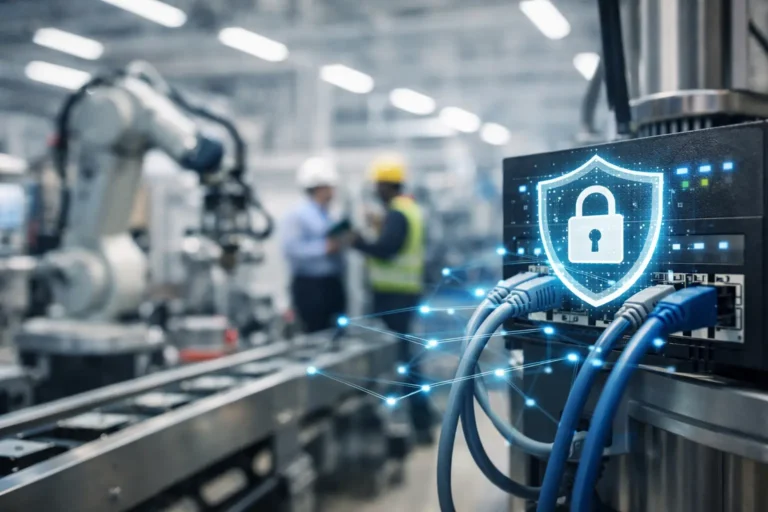
A production line can be stopped by something as ordinary as an infected office laptop. If that device can reach an engineering workstation, a shared shop-floor terminal or the server running your MRP system, a local IT issue quickly becomes an operational outage. Secure factory floor networks are designed to stop that chain of events without preventing the people, machines and systems involved in production from doing their jobs.
For manufacturers, network security is not simply an IT concern. It protects output, delivery commitments, traceability data and the ability to recover when equipment or applications fail. The right approach accepts a reality that generic office networks often ignore: factory environments contain a mixture of modern cloud services, older machines, specialist vendor systems and devices that cannot be patched or replaced overnight.
Why factory networks need a different security model
A typical production environment has more connections than it first appears. CNC machines may exchange programmes with a central file location. Barcode scanners and label printers depend on Wi-Fi. Quality systems feed data into ERP or MRP platforms. Engineers may need remote access for diagnostics, while equipment suppliers require occasional support access.
Each connection has a purpose, but unrestricted connectivity creates risk. Ransomware does not need to understand how a machine works. It only needs a path from a compromised device to a system your production depends on. Equally, an employee plugging an unmanaged device into the wrong port, or a visitor joining the same wireless network as operational equipment, can introduce unnecessary exposure.
The challenge is compounded by legacy technology. A machine controller running an unsupported operating system may be essential to a profitable production process. Replacing it could require validation, supplier involvement, downtime and substantial capital expenditure. In that situation, patching alone is not a security strategy. The safer option is often to tightly control what can communicate with that device and how.
Build secure factory floor networks around segregation
Network segregation is the foundation of a safer manufacturing environment. Rather than placing every computer, machine, printer, camera and wireless device on one flat network, segregation divides them into controlled areas. Rules then specify which areas can communicate and for what reason.
In practical terms, your office users, production machines, guest Wi-Fi, security systems and servers should not all have unrestricted access to one another. An office workstation may need access to ERP, for example, but it should not automatically be able to browse directly to a machine controller. A guest device should be able to reach the internet, but not a label printer or production database.
Segregation does introduce planning requirements. Production equipment can depend on obscure ports, old protocols or fixed IP addresses, and changing a network without documenting these dependencies can cause disruption. That is why a controlled assessment and staged implementation are preferable to broad changes made during a busy production week.
Start with what is connected and what it supports
Before redesigning anything, create a current picture of the environment. This should include wired and wireless devices, their location, who owns them, what they connect to and how critical they are to production. Do not overlook devices such as time clocks, environmental sensors, tablets, printers, CCTV recorders and remote support appliances.
The most useful inventory goes beyond a device list. It records the operational consequence if each system becomes unavailable, along with its software version, support status and recovery method. A controller that cannot be patched but can be isolated requires a different plan from an engineering PC that can be upgraded during a scheduled maintenance window.
You should also map data flows. Where does a production job originate? How does it reach the machine? Which systems send information back to ERP or MRP? This work identifies the connections that need to remain open and exposes those that exist only because nobody has reviewed them.
Use access rules that reflect real production work
Once systems are grouped, access should follow the principle of least privilege. That means allowing the minimum connectivity needed for a task, rather than granting broad access because it is convenient.
For example, an engineering workstation may be permitted to transfer programmes to a defined group of machines. The finance network may access the ERP application, but not the machine network. A production tablet may reach the data capture application but not server administration tools. These controls limit the damage a compromised account or device can cause.
Remote access needs particular care. Shared passwords and permanent supplier connections are difficult to audit and easy to misuse. A better arrangement uses named accounts, multi-factor authentication, time-limited approval and activity logging. Where legacy machinery requires access from a newer device, a jump machine can provide a controlled bridge. It becomes the managed, monitored point from which authorised engineers work, rather than exposing the machine directly to the wider network.
Protect the entry points attackers use
Segregation reduces movement inside the network, but security also depends on reducing the chance of an initial compromise. Email, internet browsing, remote access, portable media and unpatched devices remain common routes into manufacturing businesses.
A practical programme should combine technical controls with clear routines. Managed endpoint protection, phishing-resistant multi-factor authentication and monitored backups each have a role, but their value depends on proper configuration and regular checking. Security software that has expired, a backup that cannot be restored, or a former employee account that remains active can undermine otherwise sensible investment.
Pay close attention to shared factory-floor devices. Operators may use a common terminal across shifts, which makes individual accountability harder. Where individual sign-in is not practical, compensating controls are needed: restricted permissions, locked-down applications, automatic sign-out, physical supervision and a clear process for reporting unusual behaviour. The right balance depends on the pace of the operation and the sensitivity of the systems accessed.
Wireless networks deserve the same discipline as wired connections. Separate staff, guest and operational Wi-Fi, use strong authentication where devices support it, and review coverage before deploying access points. Extending a corporate wireless network to a warehouse or production area without considering machinery, metal structures and roaming devices can create both reliability and security problems.
Make legacy machinery safer without forcing disruption
Unsupported systems are often treated as an unavoidable weakness. They are a risk, but they do not automatically mean production must stop while every machine is replaced. The aim is to reduce exposure and put a realistic lifecycle plan in place.
For a legacy controller or engineering PC, that may mean removing internet access, placing it in its own network segment, allowing communication only with approved systems and using a jump machine for administration. Application allow-listing, removable-media controls and tested backups may also be appropriate. Physical security matters too: an unlocked cabinet or an accessible network port can bypass carefully designed digital controls.
There are trade-offs. Isolation can make vendor support more complicated, while replacing an old PC can affect drivers or certified machine software. Document the risk, agree who owns each action and schedule changes around production requirements. A considered interim control is usually safer than leaving a known vulnerability exposed while waiting for a perfect replacement project.
Test recovery, not just prevention
No network can promise that an incident will never occur. What separates a manageable incident from a prolonged outage is the ability to contain it and restore priority services in the right order.
Your recovery plan should answer practical questions: can production continue if ERP is unavailable, where are machine programmes stored, how quickly can a failed engineering workstation be rebuilt, and who can authorise emergency supplier access? Backups must be protected from routine network access and tested through actual restoration exercises. A successful backup report is not proof that an MRP database, machine configuration or critical file can be recovered within the required timeframe.
It is also worth rehearsing the first hour of an incident. Production leaders, IT support and senior decision-makers should know who isolates affected equipment, who contacts suppliers and how staff are kept informed. Clear responsibilities reduce the pressure to make risky decisions while output is at stake.
Treat network security as an operational discipline
Secure factory floor networks are not a one-off installation. New machines arrive, suppliers change, software is updated and temporary workarounds become permanent if nobody reviews them. Regular network reviews, patching schedules, access checks and lifecycle planning keep controls aligned with the way the factory actually operates.
For businesses working towards Cyber Essentials, ISO requirements or customer security expectations, this evidence also makes compliance less disruptive. Asset records, access controls, recovery testing and documented change management are not paperwork for its own sake. They demonstrate that critical systems are understood and managed.
The most useful next step is to identify one production-critical system and trace every connection it relies on. That exercise often reveals a simple improvement, such as separating a shared wireless network, removing unnecessary internet access or documenting a recovery process, that reduces risk without interrupting the next shift.
