
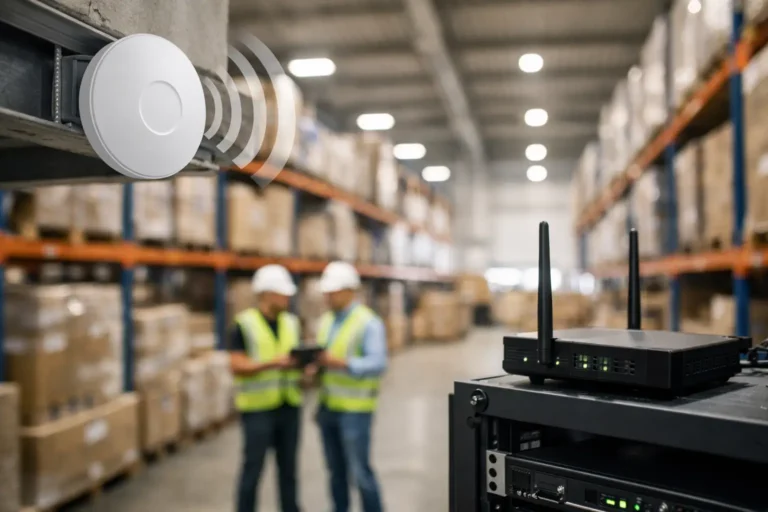
A picker loses connection to a handheld scanner halfway down an aisle. A dispatch terminal cannot reach the ERP system. A supervisor resorts to paper because a loading-bay tablet will not sync. These can look like isolated IT niggles, but they quickly become operational delays. Managed Wi-Fi for warehouses is designed to prevent those small failures from becoming missed shipments, inaccurate stock records and pressure on already busy teams.
For manufacturers and engineering businesses, warehouse Wi-Fi is no longer a convenience for staff devices. It is part of the operational network. Barcode scanners, tablets, label printers, voice-picking equipment, stock-control platforms, maintenance devices and visiting lorries all depend on the right connection being available at the right time.
The challenge is that warehouses are difficult wireless environments. Racking, machinery, concrete walls, metal stock, changing layouts and high ceilings can all affect signal quality. A standard office Wi-Fi installation rarely accounts for this. It may work well near the router, then fail precisely where scanning, goods-in or dispatch activity is taking place.
Why warehouse Wi-Fi failures affect production
Poor coverage does more than make devices slow. When scanners drop their connection, staff may repeat transactions, wait for systems to catch up or enter information later. That creates opportunities for stock discrepancies and makes it harder to trust the data in an ERP or MRP platform.
In a manufacturing setting, the consequences can extend beyond the warehouse. If components are not booked in accurately, production planners may see the wrong availability. If finished goods are not scanned out reliably, dispatch and invoicing can be delayed. When a device connected to machinery, maintenance records or quality processes cannot communicate, teams lose visibility when they need it most.
Intermittent Wi-Fi can be particularly frustrating because it is difficult for internal teams to prove. An access point may appear online while individual devices still struggle in a particular aisle, at a certain time of day or when stock levels change. Treating the issue as a one-off helpdesk ticket often masks the real cause.
What managed Wi-Fi for warehouses should include
A managed service starts with the way your warehouse actually operates, not a box of access points. The right design considers where people work, how stock moves, which devices are business-critical and whether the environment is likely to change over the next few years.
A site survey built around real coverage
A proper wireless survey assesses coverage, capacity and interference across the warehouse, office areas, yards and loading bays where required. It should account for racking height, construction materials, machinery, cold-storage areas, metal shelving and the expected number of connected devices.
Coverage alone is not enough. A signal can be visible but still provide an unreliable experience when too many devices compete for capacity or roam poorly between access points. The survey should therefore identify where handheld devices move between zones, where fixed terminals sit and where high-demand activity occurs during peak shifts.
For a growing operation, the design also needs headroom. Adding more scanners, warehouse-management software, connected equipment or guest access later should not mean starting again from scratch.
Network separation that protects operations
Warehouse devices should not automatically sit on the same network as office laptops, visitors’ mobiles or older shop-floor equipment. Segregated networks help contain risk and make troubleshooting faster. For example, scanners and printers can be placed in a controlled operational network, while staff and guest access are kept separate.
This matters where legacy systems are involved. Some industrial devices cannot be patched easily, or depend on older operating systems that should not have broad network access. Segmentation, carefully managed firewall rules and, where appropriate, jump machines can reduce their exposure without interrupting a machine that production depends on.
The aim is practical protection. A ransomware incident or compromised personal device should not have a clear route to the systems that keep goods moving.
Continuous monitoring and responsive support
Installing wireless hardware is only the beginning. Access points need firmware updates, configuration backups, performance monitoring and security checks. Devices fail, settings drift and warehouse layouts change. Without ongoing management, a previously sound installation can gradually become unreliable.
Managed monitoring provides early warning of offline access points, unusual network traffic, overloaded connections and recurring device problems. It also gives technicians the information needed to investigate a fault properly rather than asking warehouse staff to repeatedly restart equipment during a busy shift.
For businesses where dispatch or production cannot wait, response times matter. Syn-Star supports manufacturing environments with a two-hour emergency response SLA, giving operations teams a clear route to help when a critical connectivity issue threatens output.
Choosing Wi-Fi hardware: the trade-offs matter
There is no single access point that suits every warehouse. High-capacity hardware may be necessary in busy picking zones with many handheld devices, while a smaller area may need only reliable basic coverage. External loading areas may require weather-rated equipment. Cold or dusty environments may also need specialist placement and protection.
More access points are not automatically better. Poorly placed units can interfere with each other and create inconsistent roaming. Equally, trying to cover a large warehouse with too few units can result in dead zones and weak performance at the edges. The correct answer depends on the building, stock profile, device estate and operational workflow.
It is also worth considering power and resilience. Access points connected through properly managed network switches can be monitored centrally and supported by suitable backup power. If a local power issue affects a communications cabinet, knowing which services are down and restoring them in the right order can save valuable time.
Questions to ask before approving a warehouse Wi-Fi project
Before committing to a design, operations and IT leaders should be able to answer a few practical questions. Which devices must stay connected for goods-in, picking, production and dispatch to continue? Are staff experiencing true Wi-Fi issues, or are application, device or network-switch problems being blamed on wireless? What happens if one access point, switch or internet connection fails?
Ask how the provider will test the installation. A useful handover includes validation in the areas that matter, using the devices that staff use. Testing should not be limited to standing below an access point with a smartphone. Warehouse scanners, tablets, printers and ERP terminals can behave differently, particularly when moving between coverage areas.
Also establish who owns ongoing responsibility. If the Wi-Fi supplier, IT support provider, ERP partner and broadband company each point elsewhere when an incident occurs, your warehouse team is left coordinating technical suppliers instead of running the operation. A managed provider should take ownership of diagnosis, communicate clearly and involve other suppliers when needed.
Common signs that your warehouse network needs attention
A full outage is obvious, but the earlier warning signs are often more useful. Repeated scanner reconnections, label printers disappearing, slow synchronisation at busy times and staff avoiding certain aisles because devices do not work properly all deserve investigation.
Other indicators include workers sharing mobile hotspots, network equipment with no documented configuration, access points that have not been reviewed since a warehouse layout changed, or a single shared wireless password used by every device and visitor. These are not merely inconveniences. They point to gaps in reliability, accountability and security.
A planned review is far less disruptive than waiting for a peak-period failure. It also creates an opportunity to align Wi-Fi improvements with wider work such as ERP upgrades, warehouse expansion, new scanning equipment or stronger cyber security controls.
Make Wi-Fi part of operational continuity
Warehouse connectivity should be managed with the same care as the systems it supports. That means documenting the network, separating critical devices, monitoring performance, maintaining hardware and testing changes before they affect the shift.
The best result is usually quiet reliability: scanners connect first time, stock transactions update when they should, and your team does not have to think about the network while they are moving goods. If Wi-Fi is causing workarounds today, a focused review of coverage, capacity and security can turn it back into dependable operational infrastructure.
