
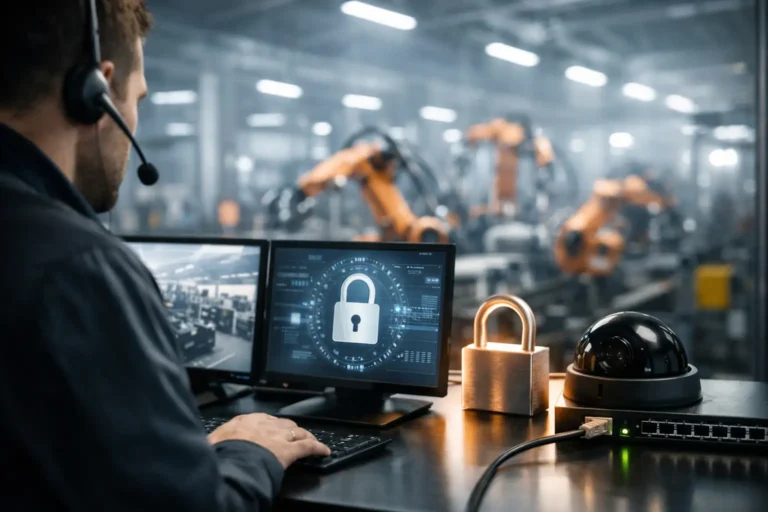
A ransomware incident does not need to encrypt every computer to stop a factory. If it takes out the ERP server, prevents engineers accessing machine programmes or blocks a warehouse terminal, production can slow or stop within hours. Essential factory cybersecurity controls are therefore not a generic IT checklist. They are practical measures designed to keep people, machinery, production data and business systems working when an attack or equipment failure occurs.
For manufacturing and engineering firms, the right approach balances security with operational reality. Some shop-floor assets are older, vendor-managed or difficult to take offline. The aim is not to apply every control in the same way everywhere. It is to understand where risk sits, protect the most critical systems first and make recovery achievable.
Why factory cyber security needs a different approach
Office networks usually contain relatively standard laptops, cloud applications and mobile devices. A manufacturing environment can include all of that alongside programmable logic controllers, CNC machines, barcode scanners, industrial PCs, engineering workstations and ERP or MRP platforms. Some may run unsupported operating systems because an upgrade could affect a machine that still has years of productive life.
That does not mean those assets must remain exposed. It means security decisions need to account for production dependencies, supplier requirements and safe maintenance windows. Applying an automatic update or installing unfamiliar security software on a critical workstation without testing may create the very outage the business is trying to avoid.
A useful starting point is to identify which systems would halt production, delay dispatches, create quality risks or prevent the business from invoicing. Controls can then be applied according to consequence, rather than treating every device as equally important.
Essential factory cybersecurity controls to prioritise
Maintain a complete asset and ownership record
You cannot secure equipment that nobody knows exists. Build and maintain an inventory covering office IT, servers, network equipment, production devices, industrial PCs, wireless access points and cloud services. Record the operating system, location, owner, support status, network connection and role in production.
The ownership field matters. A machine may be maintained by an equipment supplier, while the industrial PC attached to it is the responsibility of internal IT. If that distinction is unclear, vulnerabilities can remain unresolved while each party assumes somebody else is dealing with them. Clear ownership also makes incident response much faster.
Separate shop-floor, office and guest networks
Network segregation is one of the most valuable controls in a factory. A visitor using guest Wi-Fi, an employee opening a malicious attachment and a legacy machine controller should not all be able to communicate freely.
At a minimum, separate business systems, production technology and guest access. More mature environments may also separate machinery by production cell or risk level. The exact design depends on how data must pass between systems, particularly where ERP, MRP, quality systems and machine data exchange information.
Segregation does not remove every threat, but it limits lateral movement. If a compromised office device cannot directly reach an engineering workstation or production controller, an incident is less likely to become a site-wide shutdown. Firewalls and tightly controlled rules should manage the necessary connections between zones.
Control access with named accounts and multi-factor authentication
Shared shop-floor logins are common because they appear convenient during shift changes. They also make it difficult to establish who accessed a system, revoke access when someone leaves or investigate a security event. Use named accounts wherever the application allows it, especially for administrators, engineers and users with access to production-critical systems.
Multi-factor authentication should protect remote access, cloud applications, email and privileged accounts. It is one of the strongest defences against attacks that begin with stolen passwords. Where older software cannot support it directly, protect the route into that system through a managed jump machine, virtual desktop or tightly controlled remote-access service.
Access should follow the principle of least privilege. A user needs enough permission to do their job, but not unrestricted administrative rights because it is easier in the short term.
Patch according to risk, testing and production windows
Patching is essential, but a factory needs a controlled process rather than indiscriminate automation. Standard endpoints, firewalls and supported servers can usually be patched regularly through scheduled maintenance. Production equipment and legacy systems require additional care: check vendor guidance, test where possible and plan changes around agreed downtime.
For systems that cannot be patched, use compensating controls. These can include network isolation, application allow-listing, removal of unnecessary internet access, restricted USB use and monitored jump machines for engineering support. Document the exception, why it exists, who owns it and when it will be reviewed. An unsupported operating system is a risk to manage actively, not a reason to accept permanent exposure.
Protect backups and prove that recovery works
Backups are the final line of defence when prevention fails. Keep protected copies of critical data, configurations and virtual servers that cannot be altered or deleted by a compromised administrator account. This normally means maintaining an off-site or immutable copy, not simply backing up to another device on the same network.
Back up more than office documents. Prioritise ERP and MRP data, file servers, engineering drawings, machine configurations, production databases and the documentation needed to rebuild systems. The recovery sequence matters as much as the backup itself. Restoring a server is of limited value if the network, identity service or application dependencies are still unavailable.
Regular recovery tests reveal whether backups are complete, whether restoration takes longer than the business can tolerate and whether key people know their responsibilities. A tested recovery plan turns a difficult incident into a managed disruption.
Use endpoint protection and continuous monitoring
Modern endpoint detection and response tools help identify suspicious behaviour such as credential theft, ransomware activity and unauthorised remote tools. They should be deployed on supported laptops, servers and workstations, then monitored by people who can investigate and act quickly.
However, endpoint software is not suitable for every industrial device. Before deploying it to machinery-connected equipment, confirm compatibility with the manufacturer and assess the operational impact. On sensitive assets, network monitoring, segregation and restricted access may be safer controls. The goal is effective coverage, not forcing the same software onto every device.
Monitoring should also include firewalls, remote-access services, administrator activity and backup failures. Alerts without a defined response process create noise rather than protection.
Secure supplier and remote support access
Suppliers often need remote access to diagnose machinery, update controls or support specialised software. This access can be necessary, but permanent unmanaged connections introduce avoidable risk.
Provide access through a controlled method such as a jump machine with multi-factor authentication, named supplier accounts and activity logging. Enable access only when required where practical, and review it after maintenance work is complete. Supplier credentials should never be shared between staff or left active indefinitely because nobody is certain who might need them later.
Prepare people to spot and report threats
Many attacks begin with a convincing email, a fraudulent invoice request or a phone call impersonating a supplier. Training should be relevant to the people receiving those messages, including finance teams, planners, engineers and managers. It should explain what to report, who to contact and why reporting quickly matters.
Just as important is a clear incident process. Staff should know how to isolate a suspicious device, avoid spreading a problem and contact technical support without waiting for normal business hours. Fast reporting can protect an entire production line.
Put controls in an order that protects uptime
Trying to fix every gap at once can overwhelm internal teams and interrupt operations. Start with a practical risk review: map critical systems, identify exposed remote access, check backup recovery, confirm network boundaries and review privileged accounts. These areas frequently offer the greatest reduction in ransomware and downtime risk.
From there, create a prioritised improvement plan with owners, dates and agreed maintenance windows. Include technology, process and supplier responsibilities. If an in-house IT team is already stretched, a manufacturing-aware managed provider can supply monitoring, patch management, recovery testing and strategic oversight while working around production requirements.
For businesses working towards Cyber Essentials, ISO requirements or customer security questionnaires, this evidence-led approach also makes compliance less disruptive. Good security records – asset lists, access reviews, patch decisions and recovery test results – demonstrate control without creating paperwork for its own sake.
The most useful next step is to test a simple question with your production and IT leads: if a key system became unavailable at 10am tomorrow, do we know who acts, what is isolated and how production continues? Any uncertainty in that answer is a clear place to begin improving.
