
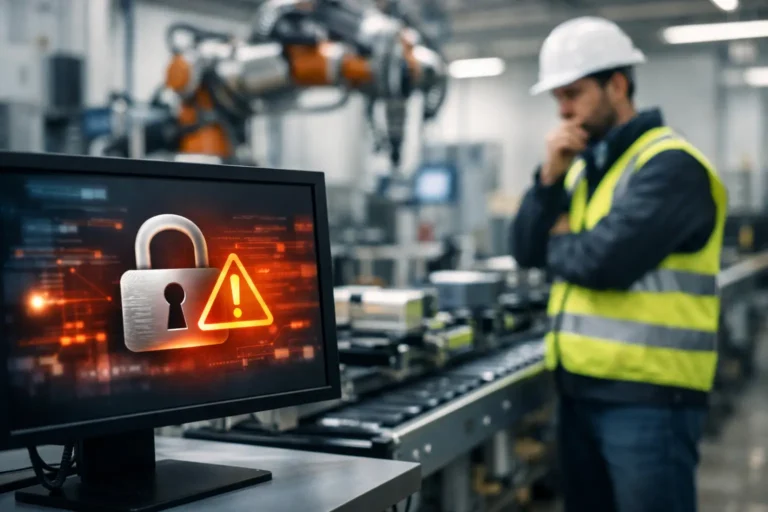
A phishing email received in the office can become a production problem by the afternoon. If it reaches a user with access to ERP, shared files or a poorly separated factory network, the effect can extend well beyond a single laptop. Engineering security risks are different because technology failure does not simply slow down desk-based work. It can stop machines, delay despatch, interrupt traceability and put customer commitments at risk.
For engineering businesses, security needs to protect the whole operation: office systems, warehouse devices, production networks, machinery interfaces, remote supplier access and the data that ties them together. The objective is not security for its own sake. It is keeping production safe, predictable and recoverable when something goes wrong.
Why engineering security risks have a wider impact
Most engineering firms operate a mixture of modern and older technology. A cloud-based finance platform may sit alongside an on-premise ERP or MRP system, while a machine on the shop floor depends on a PC running an operating system that the manufacturer will not permit anyone to alter. That combination creates difficult but manageable security decisions.
Replacing every legacy device immediately is rarely practical. A production controller may be costly to replace, tightly linked to a specific machine or require lengthy revalidation. Leaving it exposed on the same network as everyday office devices, however, creates an unnecessary route for ransomware or unauthorised access.
The real risk is usually not one ageing machine in isolation. It is the path between that machine, shared user accounts, internet-facing services, removable media and systems containing valuable operational data. Attackers look for the easiest route in. Once inside, they often move towards systems that can cause the greatest disruption.
For a manufacturer, this could mean encrypted engineering drawings, unavailable production schedules, lost quality records or an ERP system that cannot release works orders. The financial impact includes idle labour, late deliveries, recovery costs and lost confidence from customers. It also includes the management time taken to establish what has happened and get the site operating again.
The security weaknesses that deserve attention first
Unsegregated factory and office networks
A single flat network is convenient when systems are first installed. Over time, it becomes a problem. A compromised office computer should not have a direct route to a CNC machine, production terminal or industrial controller.
Network segregation separates environments according to their role and risk. Office users, guest Wi-Fi, servers, production equipment and vendor access should sit in controlled zones, with only the necessary communication allowed between them. This limits the spread of an incident and makes unusual traffic easier to identify.
Segregation must be planned around production requirements. Blocking a connection without understanding how a machine sends job data or reports status can create its own outage. A proper assessment maps the dependencies first, then applies rules that protect the operation without interfering with it.
Unsupported systems and legacy machinery
Older operating systems remain common in engineering settings because machinery has a long working life. The issue is not simply that the software is old. Unsupported systems no longer receive security updates, so known weaknesses may remain open indefinitely.
Where replacement is not currently viable, compensating controls reduce exposure. These can include removing direct internet access, placing the device on a dedicated network segment, tightly controlling USB use, restricting who can log on and using a jump machine for any administrative access. A jump machine is a secured, monitored device used to access sensitive systems rather than connecting to them directly from a standard PC.
This approach does not make a legacy system equivalent to a current, patched device. It buys time and reduces risk while the business plans a sensible lifecycle replacement. The priority is to make the risk visible, owned and controlled rather than quietly accepted.
Shared accounts and excessive access
Shared shop-floor terminals can be necessary, particularly where gloves, shift patterns or rapid task changes make individual logins difficult. But a shared account removes accountability. It becomes harder to tell who changed a setting, accessed a file or approved a job.
The answer is not always to impose a cumbersome process that operators work around. It may be individual proximity cards, role-based access, short session time-outs or separate accounts for supervisors and maintenance engineers. The right choice depends on the pace of work and the capabilities of the software, but access should always match the job being done.
Administrative privileges need particular care. People should not use administrator accounts for routine email, browsing or document work. Limiting privileged access contains the damage if an account is compromised and reduces accidental changes to critical systems.
Remote access that nobody fully owns
Machine suppliers often need remote access for diagnostics and support. This can be valuable when a fault is affecting output, but permanent, unmanaged connections present a clear security concern. Old remote-access tools, shared vendor credentials and forgotten firewall rules create openings that are difficult to monitor.
Each connection should have a named owner, a documented purpose and a defined approval route. Access should be enabled only when needed, protected with multi-factor authentication where technically possible, and logged. The business also needs to know which supplier is responsible for the security of the connection and where that responsibility ends.
This is not about making suppliers wait unnecessarily during a breakdown. It is about ensuring urgent access is controlled, traceable and does not leave a door open after the work is complete.
Backup arrangements that cannot restore production
Backups are often discussed as an IT task. In an engineering business, they are a continuity tool. A backup that contains office files but excludes the ERP database, machine configurations, quality records or key virtual servers will not restore normal operations.
A useful recovery plan starts with operational priorities. Which systems are needed to raise works orders? Which files are required to programme machines? How long can production continue without each service? The answers establish recovery targets and guide backup design.
Copies should be protected from the main network so ransomware cannot encrypt them alongside live data. They should also be tested. A successful backup report proves that data was copied. A test restore proves that the business can use it. These are not the same thing.
Building a security programme around uptime
Effective security work is continuous rather than a one-off project. Start with an accurate asset register covering laptops, servers, switches, wireless access points, shop-floor PCs, production controllers and the applications they rely on. Include who owns each asset, its operating system, whether it is supported and what would happen if it failed.
From there, risk can be prioritised commercially. A device may have a technical weakness but little operational impact if it is isolated. Conversely, a modest-looking PC linked to a critical machine may require urgent attention. This is why generic IT checklists can miss the real priorities in an engineering environment.
Patch management should follow the same principle. Standard office devices can usually be patched promptly through a managed process. Production equipment may need patches assessed, scheduled around shutdown windows or approved by an equipment supplier. Delaying patches without alternative safeguards is risky, but applying them blindly can be equally disruptive. Documented change control gives both security and operations teams confidence that decisions are deliberate.
User awareness also matters, although it should be practical. Staff need to recognise suspicious emails, unexpected password prompts and unusual requests to change bank details or release information. They also need a simple way to report concerns quickly without worrying they are causing a fuss. Early reporting can turn a contained event into a minor inconvenience rather than a site-wide incident.
Compliance should support control, not paperwork
Cyber Essentials and ISO-aligned controls can provide a useful framework for improving security discipline. They encourage good basics such as supported software, managed access, secure configuration, malware protection and regular updates. For many customers and supply chains, they also offer evidence that security is being taken seriously.
However, compliance certification alone does not guarantee production resilience. A business can meet a baseline standard yet still have poorly understood links between its ERP system and factory equipment. The most valuable approach combines compliance requirements with a clear view of operational dependencies, recovery needs and real-world working practices.
For businesses using CE-compliant machinery or tightly controlled processes, security changes must also respect validation, safety and supplier obligations. Good planning avoids the false choice between compliance, security and uptime.
Make responsibility clear before an incident
Security failures often expose a wider problem: nobody knew who was responsible. An internal IT lead may manage users and devices, a software house may support the ERP platform, a machine supplier may own a controller, and a third party may manage the firewall. Without clear boundaries, urgent issues can be passed between providers while production waits.
Define who monitors alerts, who approves changes, who contacts suppliers during an incident and who has authority to isolate affected systems. Keep current contact details, access procedures and recovery steps somewhere available even if the main network is down. Test those arrangements through realistic scenarios, such as an unavailable ERP system or ransomware on an office device.
A manufacturing-focused IT partner can coordinate these responsibilities, monitor the environment and improve controls over time. Syn-Star approaches this work with production continuity in mind, including network segregation, legacy-system protection and recovery planning that reflects how engineering firms actually operate.
The right next step is not necessarily a major technology replacement. It is a clear, honest view of where a security incident could interrupt output, followed by practical controls that reduce that exposure without making the shop floor harder to run. That is how security becomes a dependable part of keeping promises to customers.
