
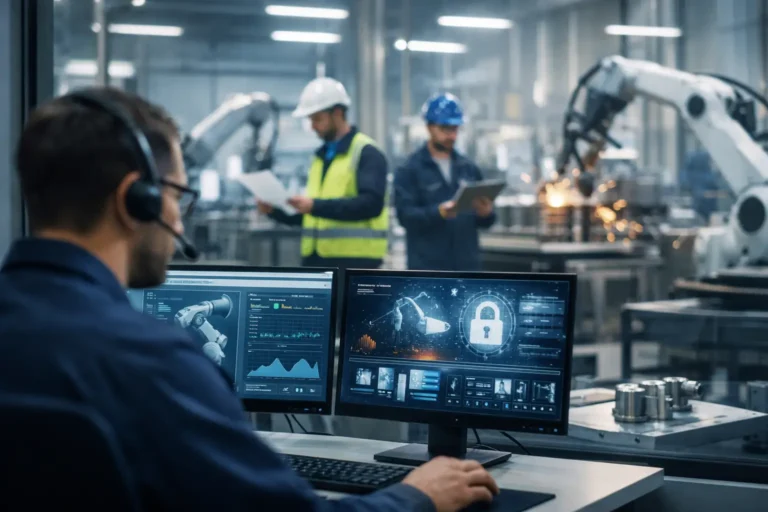
When an office laptop fails, one person may be unable to work. When a shop-floor PC, ERP connection or wireless access point fails, production can slow, stop or lose traceability. That is why Hampshire manufacturing IT providers need to understand far more than standard business IT. They need to protect the systems, machines and data that keep orders moving.
For manufacturing and engineering businesses, the right provider is not simply a helpdesk. It is a partner accountable for reducing avoidable downtime, containing cyber risk and planning improvements around production requirements. The difference becomes clear when an ageing machine controller cannot be patched, a warehouse loses Wi-Fi, or an ERP outage affects scheduling and dispatch.
Why manufacturing IT needs a different approach
Manufacturing estates often combine modern cloud applications with equipment that has been in service for years. A design team may use current devices and collaboration tools, while a CNC machine, label printer or test station relies on an older operating system and specialist software. Treating every asset identically can create risk rather than remove it.
For example, applying routine updates without checking compatibility can interrupt a critical application. Leaving an unsupported device exposed on the main network can create an easy route for ransomware. A capable manufacturing IT provider assesses the operational role of each system before deciding how it should be supported, secured and replaced.
This means asking practical questions: What happens if this device is unavailable for four hours? Does it connect to production machinery? Is there a vendor who must access it remotely? Is a replacement available, tested and documented? The answers shape the right level of protection.
What Hampshire manufacturing IT providers should deliver
A provider serving industrial businesses in Hampshire should start with visibility. You cannot protect devices, software and connections that nobody has recorded properly. A clear asset register, network map and list of critical applications give operations and IT teams a shared view of what matters most.
Protecting the production environment
Production technology should be separated from everyday office traffic wherever possible. Network segregation limits the damage if an email account, laptop or shared device is compromised. It also reduces unnecessary communication with machines and controllers that were never designed for modern threat levels.
In higher-risk environments, this may include dedicated VLANs, tightly managed firewall rules and jump machines for remote administration. A jump machine provides a controlled route for authorised support into a sensitive system, rather than allowing direct remote access from multiple devices or external connections.
The aim is not to make operations difficult. It is to make access intentional, traceable and proportionate to the risk. A maintenance engineer may still need to reach a machine. They should simply do so through an agreed process that does not expose the wider business.
Managing legacy systems safely
Unsupported operating systems are common in industrial settings because replacement can involve machine revalidation, supplier involvement or expensive downtime. The right answer is not always an immediate upgrade. Sometimes the safest and most commercially sensible option is to isolate the device, restrict its permissions, remove internet access and monitor it closely while planning its eventual replacement.
This is where generic IT support can fall short. A provider must balance security advice with the realities of keeping a production line operational. That includes documenting dependencies, retaining known-good backups and agreeing a recovery process before an incident occurs.
Supporting ERP, MRP and business-critical applications
ERP and MRP platforms sit at the centre of many manufacturers’ operations. If users cannot access orders, stock data, routings or schedules, the impact spreads quickly between purchasing, production, warehouse and finance teams.
A manufacturing-focused IT provider should understand where responsibility begins and ends between the software supplier, the internal team and the managed IT partner. They should monitor the infrastructure supporting the platform, investigate performance issues methodically and keep clear records of integrations, credentials and recovery arrangements.
It also matters how changes are handled. Updating a server, moving files to cloud storage or replacing network hardware can affect labels, scanners, reporting or automated data transfers. Changes should be planned, tested where possible and scheduled around operational windows rather than imposed at a convenient time for the IT provider.
Building recovery into daily operations
Backup is only useful if the business can restore what it needs within an acceptable timeframe. Manufacturing businesses should consider more than documents and emails. They may need to recover ERP data, engineering drawings, machine configuration files, quality records, production schedules and shared folders used by shifts.
A well-managed backup and recovery service defines recovery priorities in advance. It tests restores, uses protected copies that ransomware cannot easily alter and confirms who makes decisions during an outage. The most critical question is not how much data is backed up. It is how quickly the business can resume safe, controlled production after an incident.
How to assess a manufacturing IT provider
The selection process should test operational understanding, not just technical credentials. Ask prospective providers how they would support an unsupported machine PC, secure third-party remote access or recover an ERP server following ransomware. Specific, considered answers are more valuable than broad assurances.
You should also ask how support is delivered during an urgent outage. A defined emergency response commitment, knowledgeable technicians and a clear escalation path help prevent an issue being passed between suppliers while production waits. For firms in Hampshire, local knowledge can be valuable when on-site attendance is required, but the provider’s ability to diagnose and manage incidents remotely remains equally important.
Commercial clarity matters too. A per-device managed service model can make costs more predictable, provided it is clear what is included: monitoring, patching, user support, strategic reviews, cyber security tooling, backup oversight and project work should not be left open to interpretation. The best arrangement gives internal teams clear responsibilities and gives directors confidence that risks are being actively managed.
Look for evidence of a structured onboarding process. Before taking responsibility, a provider should review users, devices, licences, backups, firewall configuration, Wi-Fi coverage, software dependencies and supplier contacts. Without this baseline, promises of proactive support are difficult to turn into measurable improvement.
Signs your current support model is creating risk
Most manufacturing businesses do not need to replace an IT provider because of one isolated ticket. The bigger concern is a pattern: recurring faults with no root-cause investigation, unclear ownership of cyber security, backups that are never tested, or equipment reaching end of life with no plan in place.
Another warning sign is when shop-floor systems are treated as exceptions that nobody wants to touch. These assets may be complicated, but ignoring them does not make them safer. They need documented controls, named owners and a realistic lifecycle plan.
A stronger support model should give leadership useful information, not just a list of closed tickets. Regular reviews should cover security risks, recurring incidents, recovery readiness, device age, capacity constraints and upcoming changes that may affect output. This turns IT from a reactive cost into an operational control.
Turning IT support into production protection
The right provider will not promise that faults never happen. Machinery fails, suppliers change software requirements and cyber threats continue to develop. What they can do is reduce the likelihood of disruption, limit its impact and make recovery faster when something does go wrong.
Syn-Star works with manufacturers that need this balance of practical support, security discipline and respect for production constraints. Whether your business has no internal IT team or needs specialist capacity alongside one, the priority should remain the same: protect the systems that allow people to make, move and deliver products.
Start by identifying the three technology failures that would cause the greatest operational disruption, then check whether each has a tested recovery plan, clear ownership and appropriate security controls. That small exercise often reveals the most valuable next step.
