
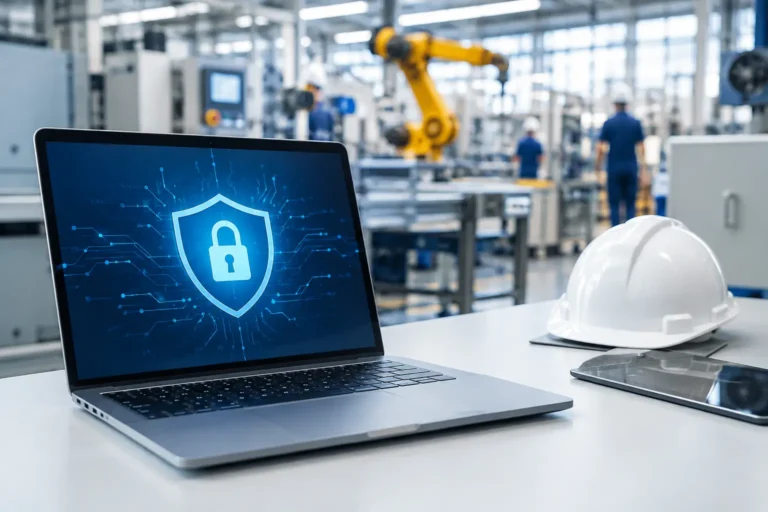
A ransomware alert on a design office laptop is disruptive. The same alert on a computer that feeds job data to a CNC machine can stop a production line, delay deliveries and create a long argument about who is responsible. That is why EDR versus antivirus manufacturing is not simply a software comparison. It is a decision about how well you can detect, contain and recover from a security incident without putting production at risk.
The short answer is that most manufacturing businesses should use EDR on supported office and server systems, alongside carefully managed protection for factory-floor devices. Traditional antivirus still has a role, particularly where older machinery-connected computers cannot support a modern EDR agent. Neither product is a substitute for network segregation, patching, tested backups and controlled supplier access.
EDR versus antivirus manufacturing: the practical difference
Traditional antivirus looks for known malicious files and suspicious behaviour on a device. It is designed to prevent common threats before they run. Modern antivirus products can be effective and are often straightforward to deploy across standard Windows laptops and desktops.
Endpoint Detection and Response, or EDR, goes further. It continuously records and assesses activity on an endpoint, such as a laptop, server or workstation. When it finds suspicious behaviour, it can alert your IT team or security provider, isolate the affected device from the network and provide evidence to investigate what happened.
The distinction matters when an attacker uses a genuine user account, a previously unseen malicious file or remote-access software that looks legitimate at first glance. Antivirus may not recognise the threat early enough. EDR is more likely to identify the chain of unusual activity: a suspicious login, an attempt to disable security tools, access to shared folders and rapid file encryption.
For a manufacturer, that visibility can make the difference between isolating one engineering workstation and discovering that ERP files, CAD drawings and production schedules are unavailable across the business.
Why factory environments need a different answer
A normal office endpoint is usually replaced every few years, updated regularly and used by one person. A production computer may be ten years old, run an unsupported operating system and connect to equipment that cannot tolerate an unplanned restart. It may also be shared across shifts, with users unable to install updates or report an alert promptly.
This does not mean the device should be ignored. It means security controls need to be selected around the operational constraint. Installing an EDR agent without checking compatibility can affect performance, interfere with a machine supplier’s software or create a support dispute at exactly the wrong time.
Consider a hypothetical example. A workshop has a Windows-based PC connected to a laser cutter. The PC receives job files from the office network and uses software that the machine supplier will not certify on a newer operating system. The appropriate response may be to keep it off email and web browsing, place it on a separate network segment, restrict file transfers to a controlled route, remove local administrator access and back up its configuration. If compatible endpoint protection is available, it should be tested during planned downtime before wider deployment.
That approach is less glamorous than installing a single security product everywhere. It is also far more likely to keep the machine running.
Where antivirus is still appropriate
Antivirus remains a sensible baseline for supported devices where the risk is lower and the environment is simple. It can be suitable for standard office PCs, shared warehouse terminals and some mobile devices, provided it is centrally managed, kept current and backed by sensible user permissions.
It may also be the only practical endpoint tool for legacy systems. Older operating systems can be unable to run current EDR software, and forcing unsupported software onto a critical production PC is not good risk management. In these cases, reduce exposure around the device rather than pretending the antivirus icon makes it safe.
That usually means limiting network connections, blocking internet access, controlling USB use where workable, allowing only approved applications and ensuring the device is included in a documented recovery plan. A legacy machine should have an owner, a known purpose and a plan for eventual replacement. “It still works” is not a security strategy, although it is a phrase heard in many workshops.
When EDR earns its place
EDR is normally the better choice for devices that hold sensitive information, connect widely across the business or provide a route into critical systems. That includes servers, finance and leadership laptops, engineering workstations containing CAD files, ERP and MRP systems, and computers used by remote staff.
The strongest benefit is not merely detection. It is the ability to respond quickly. A properly managed EDR service can isolate a compromised laptop before it reaches file shares, identify other affected devices and help establish whether data has been accessed or encrypted.
However, EDR produces information that someone must act on. Buying licences without clear monitoring and response arrangements can leave a business with alerts waiting in a portal that no one checks outside office hours. For a 10-100 person manufacturer, the practical options are an internal IT team with defined responsibilities or a managed provider that monitors alerts and agrees escalation procedures with operations.
Before choosing a service, ask who watches alerts, when they act, whether they can isolate a device, and how they contact your business if an incident affects production. The answers matter more than a long list of technical features.
Protection is only one layer of the plan
EDR and antivirus work at the endpoint. They do not fix a flat network, weak passwords, an exposed remote-access tool or backups that have never been restored. Attackers look for the easiest route, not the product with the weakest marketing brochure.
For manufacturing businesses, a useful security design separates office IT, guest Wi-Fi, warehouse devices and production equipment into appropriate network segments. It restricts access between them to what is genuinely needed. A machine PC should not automatically have the same route to finance files as an office laptop, and a guest device should never share the production network.
Identity controls are equally important. Multi-factor authentication should protect Microsoft 365, remote access and administrator accounts. Each supplier should have named access rather than a shared password passed around by email. Remote support should be enabled only when needed where possible, logged and reviewed.
Backups need special attention. A backup that sits permanently connected to the same network can be encrypted by the same ransomware attack. Keep protected copies, include ERP data, engineering drawings and essential machine configurations, and test restoration against realistic recovery priorities. Restoring a file is not the same as restoring a working production process.
A sensible decision process
Start by classifying devices according to their business impact, not their location. Identify which systems would stop dispatch, planning, machining, quality checks or payroll if unavailable. Then record their operating system, software dependencies, support status, network connections and supplier restrictions.
For supported, business-critical endpoints, EDR is usually the sensible standard. For lower-risk supported devices, managed antivirus may be proportionate, although many businesses choose EDR consistently to simplify oversight. For unsupported machinery-connected systems, use compensating controls and test any endpoint product carefully before deployment.
Do not let a generic security rollout treat every device alike. Equally, do not let a legacy exception become a permanent blind spot. Review it at least annually, particularly after machinery upgrades, ERP changes or a new customer security questionnaire.
Questions to ask before you buy
A supplier should be able to explain how their proposed protection behaves on older systems and what happens when it detects a threat. They should also understand that isolating a device may be the right security response but could interrupt production if the device controls equipment.
Ask whether the service covers investigation and containment, not just software installation. Confirm which endpoints are excluded, who owns remediation, how false positives are handled and whether your current backup and network design supports recovery. If you are preparing for Cyber Essentials or responding to a customer requirement, check the exact scope separately. Good endpoint protection supports sound security practice, but it does not automatically prove compliance with every requirement.
For manufacturers across Hampshire, Surrey and West Sussex, the right next step is a device and dependency review before changing security tools. Syn-Star can help assess where EDR fits, where antivirus is sufficient and how to reduce the risk around older production equipment without creating avoidable downtime.
