
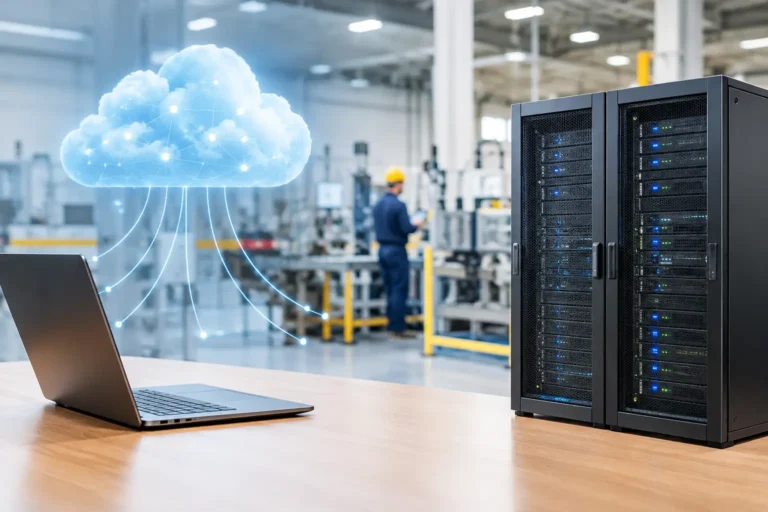
A production planner cannot release work because the ERP system is unavailable. A CNC programmer cannot retrieve a drawing. Dispatch cannot print labels. That is why cloud versus local servers is not simply an IT preference for manufacturers. It is a decision about where critical systems run, how quickly people can work and what happens when an internet connection, server or supplier lets you down.
For many manufacturing and engineering businesses, the right answer is neither entirely cloud nor entirely local. A carefully planned hybrid arrangement often gives the best balance of availability, security, performance and control. The key is to decide system by system, based on what production needs rather than on a broad promise that everything should move to the cloud.
Cloud versus local servers: the practical difference
A local server sits on your premises, usually in a comms room or office. It may run your file storage, ERP or MRP system, CAD data, print services and user accounts. Your business owns or leases the hardware and is responsible for maintaining it, protecting it and replacing it when it reaches the end of its useful life.
Cloud services run in a provider’s data centre and are accessed over the internet. Microsoft 365 is a familiar example, with email, Teams and SharePoint delivered as online services. Some business applications are supplied as cloud software. Others can be hosted on virtual servers in a cloud platform.
The distinction matters, but it is not absolute. A machine-connected computer may need a local service nearby to communicate reliably with an older controller, while its reports are sent to a cloud-based planning system. Your files may sit in SharePoint, but a local network device may still provide scanning, printing or a controlled connection to production equipment.
The question is not, “Which model is best?” It is, “What must keep working for us to manufacture and deliver on time?”
When local servers remain the sensible choice
Local servers can be the right option where low delay, dependable local access or legacy integration matters. A CAD or CAM application handling large design files may perform poorly if every file has to travel across an internet connection. An older MRP application may only be supported on a particular server version. Factory-floor software may rely on local network addresses, serial connections or databases that cannot simply be moved without testing.
Internet resilience is another consideration. If the connection drops, staff may still be able to access systems held locally, depending on how the network and user access have been configured. For a site where production cannot pause because a carrier has a fault, that independence has real value.
However, local does not automatically mean safer or more reliable. A server in a cupboard with no monitoring, untested backups and a single power supply is a single point of failure with a fan. It needs patching, replacement planning, restricted administrator access, adequate cooling, backup power where appropriate and tested recovery procedures.
Local infrastructure also creates a clear responsibility: someone must own the maintenance. If an on-site server fails at 6am, it is little comfort to know that it was technically under warranty if no one has a workable recovery plan.
Where cloud services are a better fit
Cloud services are often well suited to email, collaboration, document sharing, remote access and systems that need to be available to office staff, field engineers, customers or suppliers without giving everyone access to the factory network.
For a business with teams split between a workshop in Portsmouth, a warehouse and home-based sales staff, Microsoft 365 can make controlled document sharing and communication easier than maintaining several disconnected file stores. Properly configured permissions, multi-factor authentication and device management are still essential. Moving documents online without controlling who can share them is not a security strategy.
Cloud-hosted applications can also reduce the burden of maintaining physical server hardware. The provider takes responsibility for the underlying data centre and platform, while your business still controls user accounts, access rights, data classification, backups where required and the configuration of the service. This is known as shared responsibility, and it catches out organisations that assume a cloud provider protects everything by default.
Cloud can improve recovery options too. If a premises incident prevents access to the site, staff may be able to work from another location. But this only helps if the affected application, identity systems and data are available remotely, and if your people know what to do. A disaster recovery plan that has never been tested is paperwork, not recovery.
The manufacturing trade-offs that matter most
A cloud project can be worthwhile, but it should not be treated as a lift-and-shift exercise. Assess the operational consequences before moving any system that supports production.
Performance and connectivity
Cloud applications rely on internet connectivity. Check not only the advertised speed but also reliability, failover arrangements, firewall capacity and the quality of Wi-Fi in offices, warehouses and on the factory floor. Large CAD assemblies, remote desktops and cloud backups can compete for bandwidth with day-to-day work.
A second connection or mobile failover may be appropriate for a site where a lost connection stops order processing or communication with customers. It will not necessarily keep every cloud application operating normally, but it can reduce the impact of a primary line failure.
Legacy equipment and operational technology
Machinery-connected PCs often use unsupported operating systems because an upgrade could affect a controller, specialist software or warranty position. Putting such a device directly on the internet to reach a cloud service creates unnecessary risk.
Instead, segregate it from normal office devices using network controls. Limit communication to the systems it genuinely needs, remove local administrator access where practical, control supplier remote access and maintain an offline or immutable backup of critical configuration files. Before changing anything, confirm requirements with the machine supplier. An IT improvement that stops a production line is not an improvement.
Security and intellectual property
Both cloud and local systems can be compromised by phishing, stolen passwords, ransomware or poor access control. The security question is less about location and more about discipline.
For design files, production data and commercially sensitive customer information, establish who needs access, from which devices and for how long. Use multi-factor authentication for cloud accounts and remote access. Apply security updates on a managed schedule. Keep privileged accounts separate from everyday user accounts. Review supplier access rather than leaving it available indefinitely because someone may need it one day.
These measures also support many customer security questionnaires and Cyber Essentials preparation. They are sensible controls, but formal certification depends on the full scope and assessment process, not one technology choice.
Cost and change control
Local servers involve upfront hardware, licences, maintenance and eventual replacement. Cloud services usually spread costs through regular subscriptions, but usage, storage, backup, security tools and connectivity can all affect the total. Neither model is automatically lower cost over its full life.
Look beyond the monthly figure. Include downtime risk, the effort needed to support old systems, the cost of a failed migration and the productivity lost when people work around slow or unreliable technology. For a production business, a system that is slightly more expensive but prevents missed deliveries may be the better commercial decision.
A sensible hybrid design for a growing manufacturer
A hypothetical engineering business may keep its machine interfaces and a specialist on-site database local because they require fast, predictable communication. It may use cloud email, collaboration and controlled document sharing for office work. Its ERP system could be hosted in the cloud or remain local depending on the supplier’s support model, integration needs and connection resilience.
The important part is how these elements are connected. The office network, guest Wi-Fi, warehouse scanners, production equipment and supplier remote access should not all sit on one flat network. Segmentation limits the chance that a compromised laptop can reach systems that control or support production.
Backups should reflect the same thinking. Protect cloud data and local data separately, retain copies that ransomware cannot alter and test whether priority systems restore within an acceptable timeframe. Asking whether backups are “working” is not enough. Ask when the last successful restore test took place and what was recovered.
Questions to answer before deciding
Before approving a cloud migration or replacing a local server, involve operations, finance and the people who use the systems under pressure. Work through these questions:
- Which systems stop production, dispatch, purchasing or payroll if unavailable?
- What dependencies connect ERP, MRP, CAD, CAM, machines, scanners and file storage?
- How long can each system be unavailable before the business suffers material disruption?
- What happens if the main internet connection fails during a busy shift?
- Which devices run unsupported software, and can they be isolated safely?
- Who is responsible for support, backups, access control and recovery testing?
The answers create a priority order. Start with systems where failure would halt work or expose valuable information. Then plan changes in stages, with testing, rollback options and clear communication to staff. Avoid scheduling major migrations around peak production, stocktakes or customer deadlines unless there is a compelling reason.
Make the decision around production, not fashion
Cloud services can make a manufacturing business more flexible and easier to support. Local servers can provide performance and continuity for systems that belong close to the production process. A hybrid model often respects both realities.
Before making a commitment, review your critical applications, network layout, internet resilience, backup recovery and supplier responsibilities together. Syn-Star can help manufacturers turn that review into a practical plan that protects production without forcing unsuitable technology into the factory.
