
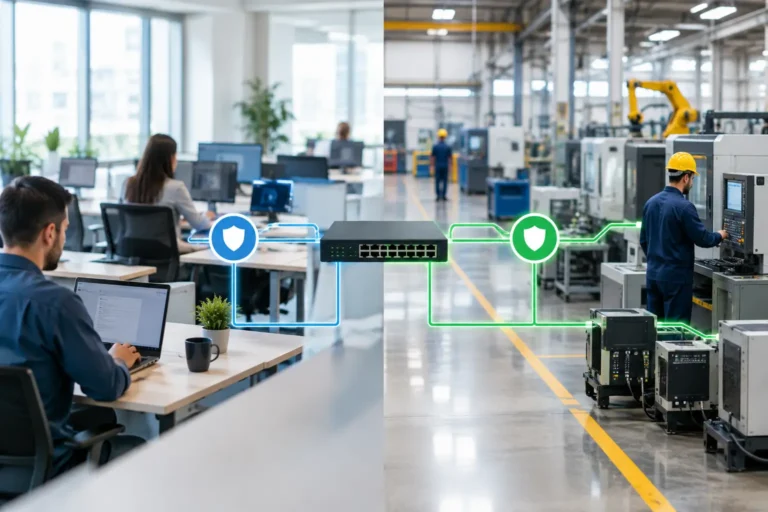
A ransomware infection on an office laptop should not be able to reach a machine controlling a production line. Yet in many manufacturing businesses, both sit on the same flat network, sharing far more access than either needs. The decision to segment office and factory networks is therefore about keeping production running, not creating unnecessary technical complexity.
Network segmentation separates systems into controlled areas, with clear rules about what can communicate between them. Done properly, it limits the effect of a cyber incident, reduces accidental disruption and makes it easier to protect older factory equipment without pretending it can be modernised overnight.
Why one network creates a production risk
A flat network is simple to set up. Every device can generally find every other device, which may suit a small office with a printer and a few PCs. It is a poor fit for a site where office users, ERP systems, warehouse scanners, CNC machines, CAD workstations, production terminals and supplier connections all have different jobs and different levels of risk.
If one user opens a malicious attachment, an attacker may be able to move across the network looking for file shares, servers or poorly protected devices. In a manufacturing setting, that movement can reach systems needed for scheduling, stock control, design files or production itself. The cost is not limited to IT recovery. It can mean missed delivery dates, idle staff, late material orders and difficult conversations with customers.
There is also a less dramatic but common problem: ordinary network traffic affects factory systems. Large backups, cloud synchronisation or a busy guest Wi-Fi network can consume capacity needed by production devices. A machine controller that occasionally loses communication is not a helpful mystery for a production manager to investigate at 4.30pm on a Friday.
What it means to segment office and factory networks
Segmentation does not necessarily mean installing entirely separate physical networks for every device. More often, it uses managed switches, firewalls and virtual LANs, known as VLANs, to create separate network zones. The firewall then controls the traffic allowed between those zones.
For example, an office computer may need access to an ERP server, but it may have no reason to communicate directly with a machine controller. A production terminal may need to send data to a manufacturing system, but it does not need unrestricted access to every office file share or the internet.
The principle is straightforward: allow only the connections that support a real operational task, then block the rest. This is sometimes called least privilege. It sounds technical, but it is much like controlling access to a workshop. Staff can enter the areas required for their role, rather than wandering into every locked store and control cabinet.
Typical network zones for a manufacturing site
The exact design depends on your equipment and processes, but many businesses benefit from separating at least these areas:
- Office users and standard business devices, including laptops and printers.
- Core business systems, such as servers supporting ERP, MRP, finance and file storage.
- Factory-floor equipment, including machinery-connected PCs, HMIs, controllers and test equipment.
- Warehouse and mobile devices, such as handheld scanners, tablets and label printers.
- Guest, contractor and supplier access, kept away from operational systems.
Some sites also need a separate zone for cameras, building systems or laboratory equipment. The objective is not to create as many zones as possible. It is to separate systems where a fault, compromise or high-volume traffic would otherwise cause unacceptable disruption.
Start with production dependencies, not firewall settings
The biggest mistake is treating segmentation as a network-only project. Before changing anything, establish what depends on what.
Map the systems that keep orders moving from enquiry to dispatch. Include ERP or MRP, CAD and CAM files, production planning, machine programming, warehouse scanning, label printing, backup systems and internet connectivity. Ask production supervisors which computers cannot be unavailable during a shift, and identify the supplier contacts for machines that rely on remote support.
This often reveals dependencies no one has documented. A legacy PC beside a machine may run an unsupported operating system, but it might also hold the only working configuration software for that machine. Pulling it onto a new network without testing can create the very outage the project was meant to prevent.
A sensible approach is to document the current communications first. Which system initiates the connection? Which port or service does it use? Is the connection required continuously, or only when a job is loaded? Once you know this, you can test narrow firewall rules rather than allowing broad access between office and factory zones.
Legacy machinery needs containment, not wishful thinking
Older production equipment is one of the strongest reasons to segment. Machinery-connected computers may be unable to run current security software, receive patches or support modern encryption. Replacing them can involve revalidation, supplier involvement, downtime and significant operational risk.
That does not make them safe to leave exposed. It means they need compensating controls. Place the device in a dedicated factory zone, block general internet access where it is not needed, restrict access from office devices and allow administration only from a controlled support workstation. Use strong authentication on that workstation and keep it properly managed.
Remote supplier access deserves the same care. Avoid permanent, unrestricted remote connections into the production network. Provide access only when required, through an approved method, with named accounts, multi-factor authentication and a clear record of who connected and when. It may feel slower than leaving a remote tool permanently available, but it gives you control when it matters.
Segmentation is good security practice and can support customer security checks or Cyber Essentials preparation. It is not, by itself, a certification. Formal requirements must be assessed against the scope and criteria that apply to your business.
Design for reliability as well as security
A segmented network can improve performance and fault finding, but poor design can create new single points of failure. If every critical connection depends on one ageing firewall or switch, a hardware failure can still stop production.
For sites where downtime has a direct effect on output, consider the resilience of internet connections, firewalls, core switches and power supplies. The right level of redundancy depends on the cost of an outage and the time it takes to recover. A workshop producing to short lead times may justify a different design from a site where a controlled pause is manageable.
Factory Wi-Fi should also be assessed separately. Coverage, interference from machinery and the number of roaming devices all matter. A strong office signal does not prove that warehouse scanners will remain connected at the far end of a metal-racked dispatch area. A site survey and practical testing during normal operations are more useful than assumptions based on a floor plan.
Make the change without stopping the factory
Segmentation projects should be phased. Start with a network assessment and a clear diagram of current equipment, connections and risks. Agree the target design with operations, not just IT. Then move one area at a time, testing business-critical functions before proceeding.
A hypothetical example is a factory where office PCs, production terminals and warehouse scanners all use one network. The first phase may move guest Wi-Fi and contractor devices into their own zone. The second may separate office devices from warehouse equipment. The final phase can isolate factory systems, with carefully tested rules allowing only the ERP and file services they genuinely require.
Plan changes around production schedules. Keep a documented rollback plan, ensure key suppliers are available where necessary and test backups before any major work. A backup that has never restored a critical server is an assumption, not a recovery plan.
Keep control after the project
Segmentation is not a fit-and-forget exercise. New machines, software upgrades, supplier changes and cloud services can all introduce new connection requirements. Without change control, temporary exceptions have a habit of becoming permanent.
Maintain an up-to-date network diagram and record why each firewall rule exists. Review remote access regularly, remove unused accounts and investigate unexpected traffic between zones. Monitoring is useful here because it helps identify both security concerns and operational faults before they become a production issue.
For manufacturers across Hampshire, Surrey and West Sussex, a practical review should focus first on the systems that affect output, deliveries and sensitive designs. Syn-Star can assess how your office and factory systems are connected, identify where risk is unnecessarily shared and help plan changes around the realities of production.
