
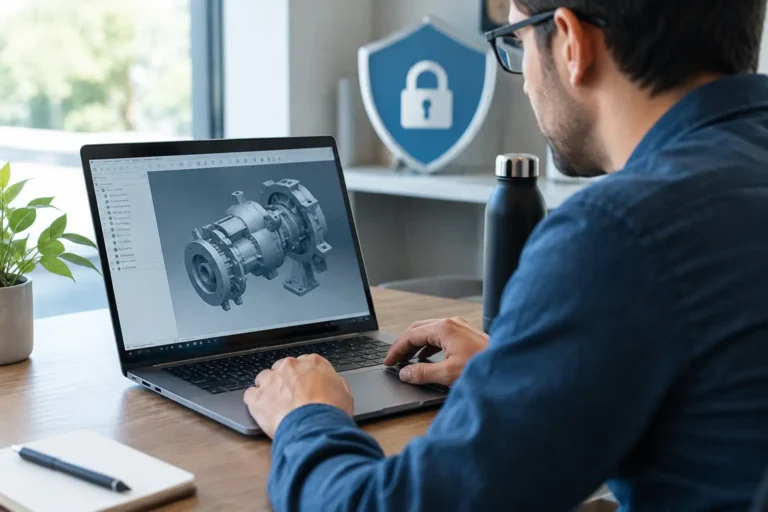
A single overwritten CAD drawing can stop a job just as effectively as a failed machine. If the only approved revision disappears, is altered without trace, or is copied outside the business, production teams can be left waiting while engineers recreate work under pressure. To protect engineering design data, you need more than antivirus and a folder marked “final final v3”. You need clear ownership, controlled access and a recovery plan that works when a delivery date is close.
For engineering and manufacturing businesses, design data is not simply office information. It may include CAD models, CAM programmes, bills of materials, tooling drawings, test results, specifications and customer intellectual property. Those files influence what gets made, how it is made and whether it meets requirements. Protecting them is therefore an uptime, quality and commercial issue.
Start with the data that can stop production
The sensible first step is to identify where critical design information lives and who relies on it. In many firms, the answer is less straightforward than expected. Current drawings may sit in a CAD platform, a shared server folder and several engineers’ laptops. CAM files may be transferred to a machine-connected PC by USB stick. A production team may print drawings because the workshop Wi-Fi does not reach every bay.
Map the route from design approval to the shop floor. Include CAD and CAM applications, file servers, Microsoft 365 or cloud storage, ERP or MRP records, programming workstations, network shares and removable media. Also identify the people and suppliers who need access.
This exercise exposes two common risks. First, a single system or person may hold the only usable copy of a critical file. Second, different teams may be working from different revisions. A security incident is serious, but making 200 parts to an obsolete drawing is not a pleasant alternative.
Classify information by its business impact. A marketing image does not need the same controls as an approved customer drawing or a CNC programme. Focus the strongest protection on data that would stop production, breach a contract, expose intellectual property or create a quality problem if changed.
Control access without slowing engineers down
People need access to do their jobs. The aim is not to lock every drawing away so tightly that staff create unofficial copies to get work done. It is to make the approved route easier and safer than the workaround.
Use named user accounts for CAD systems, shared storage and remote access. Shared logins make it difficult to see who changed a file or to remove access when someone leaves. They also make an investigation needlessly uncertain.
Access should follow roles. Engineers may need to create and amend designs; production staff may only need to view released drawings; purchasing may need selected specifications; external suppliers may need a tightly defined project folder. Review those permissions regularly, especially after role changes, contract completion or staff departures.
Multi-factor authentication should protect email, cloud storage, remote access and administrator accounts. This adds a small extra step, but it is one of the most effective ways to reduce the impact of stolen passwords. If an attacker gains an engineer’s email account, they may not only see drawings but also use genuine customer correspondence to request files or payment changes.
Where a document management or product lifecycle management system is justified, use its revision control and approval functions properly. It creates a clear record of what changed, who approved it and which revision is released. For smaller businesses, disciplined folders and permissions can still work, but they need agreed naming, approval and archive rules. The system matters less than staff being able to identify the current approved version quickly.
Treat supplier access as a controlled exception
Remote supplier access deserves particular attention. A machine vendor, software provider or subcontract designer may have legitimate reasons to connect, yet permanent unrestricted access is difficult to justify.
Give suppliers access only to the system and data required for the task, for a defined period. Use individual accounts, multi-factor authentication and a method that records connections where possible. Do not allow a supplier’s remote-support tool to become an unmonitored back door into your network simply because it was convenient during installation.
Agree who authorises access, who disables it and what happens when urgent support is needed outside normal hours. The right approach depends on the equipment and supplier agreement, but “we think they still have the password” is not a control.
Protect engineering design data from ransomware and mistakes
Ransomware does not distinguish between office files and a week’s worth of programmed production. It can encrypt shared folders, connected cloud storage and backups that are permanently accessible from the network. Accidental deletion, incorrect overwriting and sync errors can cause similar disruption without any criminal involvement.
Keep multiple copies of critical data, with at least one copy isolated from everyday network access. That may involve immutable cloud backup, offline storage or another protected backup design. The exact method depends on the applications involved, data volumes and recovery times required. What matters is that an attack on normal user accounts cannot silently remove every recoverable version.
Back up the systems around the files as well. A CAD vault, licence server, ERP database, file server and programming workstation can all be needed to restore normal operations. Recovering a drawing is of limited value if the workstation that opens it has failed, its specialist application cannot be reinstalled, or the required licence information has been lost.
Test restores on a planned basis. Do not settle for a backup report showing that a job completed. Ask whether you can restore a specific project folder, a previous version of a drawing, and the system needed to use it. Record how long each takes. This gives management a realistic view of whether recovery supports the business’s delivery commitments.
Secure legacy machines without taking reckless risks
Engineering sites often have machinery-connected computers running older operating systems or specialist software. Replacing them may require supplier involvement, validation work or unacceptable production downtime. Leaving them exposed on the main business network is not a sensible long-term compromise either.
Where immediate replacement is not possible, reduce exposure. Separate legacy equipment from office IT and internet-facing services through network segregation. Limit communication to the specific servers, devices and ports it genuinely needs. Remove ordinary web browsing and email access, control USB use where practical, and ensure remote support is approved and monitored.
This is not the same as making an unsupported operating system safe. It is a risk-reduction measure while you plan a longer-term replacement, upgrade or managed containment approach. Document the dependency: which machine it supports, what software it runs, who owns it, what would happen if it failed and whether a recoverable image exists.
Factory-floor devices also need physical consideration. A workstation beside a machine may be shared across shifts and cannot rely on staff remembering complex processes during a breakdown. Use a practical sign-in method, restrict local administrator rights and make the approved file location easy to reach. Security that ignores the reality of a noisy workshop will be bypassed by Friday afternoon.
Watch for unusual activity and keep evidence
You cannot respond quickly to an issue you cannot see. Centralised logging, endpoint protection and alerts for unusual sign-ins, large file transfers, mass deletion or unexpected privilege changes can provide early warning. These measures are particularly useful where design data is held across cloud services, local servers and remote devices.
Set clear responsibilities for alerts. Someone must know whether an unusual login at 2am is an engineer working to a deadline, an approved supplier connection or a possible compromise. For a business without a full internal IT team, this is where managed monitoring and a documented escalation process add real value.
Keep an asset register for the systems that hold or access design data. Include device location, operating system, owner, application version and support status. It is not glamorous paperwork, but it makes patching, insurance questionnaires, customer security reviews and incident response far less chaotic.
Build protection into everyday engineering processes
Good technical controls will struggle if everyday habits work against them. Train staff to recognise suspicious file-sharing requests, unexpected login prompts and emails asking for urgent drawing revisions. A convincing message from a compromised supplier account can be more effective than a crude phishing email.
Set a simple process for transferring files externally. Staff should know which approved platform to use, how to confirm the recipient and when customer data needs additional handling. Personal email accounts and consumer file-sharing services may feel quick, but they often remove the control, audit trail and retention rules the business needs.
Customer requirements may also influence your approach. Cyber Essentials, customer audits and cyber insurance questions often expect evidence of access control, multi-factor authentication, supported software, patching and backups. Formal requirements vary, so treat them as a prompt to check your arrangements rather than assuming one technical change makes the business compliant.
Questions to ask at your next IT review
A useful review should produce clear answers, not a vague assurance that files are “on the server”. Ask these questions:
- Can we identify the current approved drawing and restore an earlier revision?
- Which people, suppliers and shared devices can access our most sensitive design data?
- Are legacy production systems separated from office systems and the internet where necessary?
- Could a ransomware attack reach our backups, and when did we last prove a restoration works?
- If a CAD server, licence server or engineer’s workstation fails, how long until the team can work again?
For manufacturers across Hampshire, Surrey and West Sussex, the priority is not collecting security tools for their own sake. It is making sure the information that drives production remains available, accurate and under your control. A focused review of design-data access, backups, legacy equipment and supplier connections can reveal where a small improvement now prevents a far more expensive interruption later. Syn-Star can help you turn that review into a practical plan that fits production reality.
