
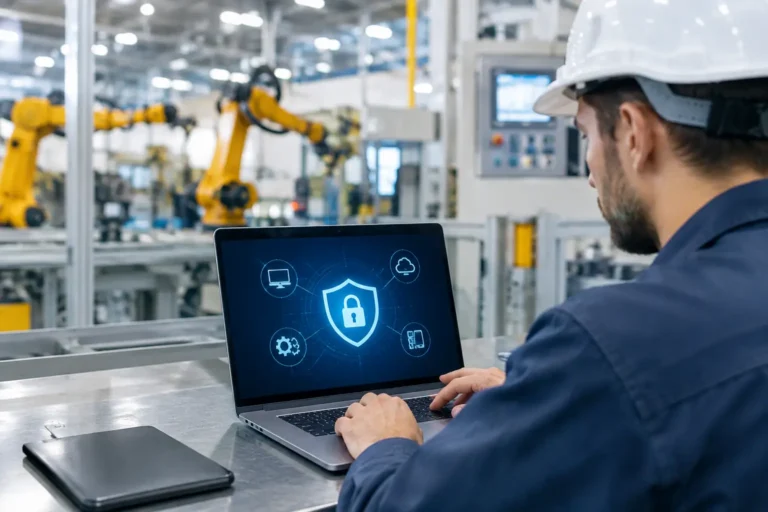
A ransomware incident does not need to encrypt every computer to cause a missed delivery. One infected PC with access to an MRP system, shared CAD files or a production schedule can stop work while people work out what is safe to use. That is why essential endpoint protection features need to be judged by their effect on production, not by whether antivirus software happens to be installed.
For a manufacturing business, endpoint protection should reduce the chance of an incident, limit its spread if one occurs and give your IT team a clear way to respond. It must also account for the awkward reality of the factory floor: old machinery-connected PCs, shared terminals, specialist software and suppliers who occasionally need remote access.
What endpoint protection should do in a factory
An endpoint is any device that connects to your business network or services. That includes office laptops and desktop PCs, but also warehouse handhelds, shared shop-floor terminals, engineering workstations and computers attached to machinery.
Traditional antivirus looks mainly for known malicious files. That still has value, but it is not enough on its own. Modern attacks often use stolen passwords, deceptive emails, unpatched software or legitimate administration tools used for the wrong purpose. A suitable endpoint protection platform watches for these behaviours as well as suspicious files.
The right choice depends on your systems and operational risk. A CAD workstation holding sensitive designs needs different controls from a dedicated PC running an older machine interface. The aim is not to force every device into an identical template. It is to apply sensible protection without creating an avoidable production stoppage.
Essential endpoint protection features to prioritise
Central visibility and device inventory
You cannot protect devices nobody owns. A central console should show every managed endpoint, its operating system, protection status, last check-in time and whether it is missing critical updates.
This matters when devices move between the office, warehouse and home, or when a shared terminal has quietly been replaced. It also exposes computers that have fallen outside normal support arrangements. Those are often the devices that retain old local administrator accounts and untested software.
Your inventory should identify the business role of each device, not just its name. Labelling a machine as “packing line HMI”, “CAD workstation” or “MRP server access terminal” makes decisions faster during an incident.
Behaviour-based threat detection
Endpoint detection and response, often shortened to EDR, looks for suspicious activity on a device. Examples include a process attempting to encrypt a large number of files, an unusual program trying to capture passwords, or a user account launching tools it does not normally use.
This gives you a better chance of catching ransomware and hands-on attacks before they spread across file shares. The useful feature is not merely an alert. It is the ability to see what happened, on which device and which account was involved.
Alerts still need ownership. A platform that sends warnings to an unattended mailbox is mostly an expensive way to document a future problem. Agree who reviews alerts, what counts as urgent and who has authority to isolate a device outside office hours.
Rapid isolation of affected devices
If a computer shows signs of compromise, support staff should be able to disconnect it from the network remotely while retaining enough connection to investigate it. This can prevent a single compromised engineering laptop from reaching shared drawings, Microsoft 365 sessions or other systems.
Isolation is powerful, but it requires judgement. Automatically cutting off a workstation controlling a live process may be the wrong response if it creates a safety or quality issue. For machinery-connected devices, agree a response plan with operations and the machine supplier. You may choose alert-only monitoring, network segregation and a controlled shutdown procedure instead.
Patch and vulnerability management
Endpoint protection cannot compensate for software that has not been updated. Patch management should identify missing security updates, apply suitable patches on an agreed schedule and report exceptions clearly.
Production equipment makes this less straightforward than office IT. A machine supplier may specify a particular software version, and an update may need testing before installation. That does not mean leaving the device exposed indefinitely. Record the reason for the exception, restrict what the device can connect to and review it regularly. An unsupported operating system should be treated as a known business risk with compensating controls, not as a permanent footnote.
Application control and least privilege
Many attacks succeed because users or malicious software can run anything from anywhere. Application control restricts which programs, scripts and installers can run on a device. It is particularly useful on fixed-purpose shop-floor terminals where there is little reason for staff to download software or use personal USB devices.
Least privilege works alongside it. Staff should use standard accounts for routine work, with administrator rights granted only when genuinely required and for as long as required. It can feel less convenient at first. It is also far less convenient to rebuild an entire department’s computers because one email attachment ran with full rights.
Test application control carefully around CAD, CAM, ERP and machine-support software. Overly strict policies can block legitimate updates or specialist plug-ins. Start with visibility, learn what normally runs, then enforce restrictions in stages.
Device encryption and account protection
A lost laptop containing drawings, quotations or customer data can create a security problem without any malware involved. Full-disk encryption protects the information if the device is lost or stolen, provided recovery keys are held securely and the device is properly managed.
Endpoint security should also support strong account controls, including multi-factor authentication for cloud services and privileged accounts. Stolen passwords remain useful to criminals, particularly where staff use the same credentials across systems. Multi-factor authentication will not fix every risk, but it makes a stolen password much less useful on its own.
Controlled USB and removable media
USB storage is still common in workshops and engineering teams. It may be needed to transfer machine programs, drawings or diagnostic files. A blanket ban is often ignored or impractical.
A better approach is to control it. Permit approved encrypted devices where there is a real operational need, scan media before use and block unknown storage devices on higher-risk computers. Keep a clear process for exceptions, especially where a supplier arrives with diagnostic software. Convenience matters, but so does knowing what has been plugged into a production network.
Protection works best with network segregation
Endpoint tools operate on the device itself. They should sit alongside sensible network design, not replace it. Separating office systems, guest Wi-Fi, warehouse devices and production equipment limits how far an incident can travel.
For example, a phishing attack on an accounts laptop should not give an attacker a direct route to an old PC used to configure a machine. Likewise, a supplier supporting a piece of equipment remotely should only reach the system they need, for the agreed period, using an authorised method.
This is especially relevant for legacy equipment. If a machine PC cannot run current endpoint software, isolate it in a separate network segment, limit internet access, remove unnecessary accounts and control how files reach it. Keep backups and recovery instructions for the application as well as the operating system. A replacement computer is not much help if nobody can reinstall the specialist machine software or locate the configuration files.
Questions to ask before choosing a platform
When comparing endpoint protection options, ask whether the provider can protect and monitor your mix of office, engineering and shared devices. Check how it handles offline devices, what happens when a threat is found, and whether alerts are actively reviewed or simply forwarded.
Also ask about compatibility. Can the software run on the operating systems you use? Has it been tested with your critical applications? What is the fallback plan for devices that cannot accept an agent? Clear answers here are more valuable than a long feature list.
Finally, check the operational side. Your protection needs regular review as staff, devices, suppliers and production systems change. A monthly report is useful only if it highlights decisions: unprotected devices, overdue patches, unresolved risks and actions agreed with the people responsible for production.
A practical next step is to map your endpoints against the systems that keep orders moving, then identify which devices can be fully protected, which need segregation and which risks need a planned replacement. Syn-Star can help manufacturing businesses turn that review into a workable security and support plan without treating the factory floor like a standard office.
