
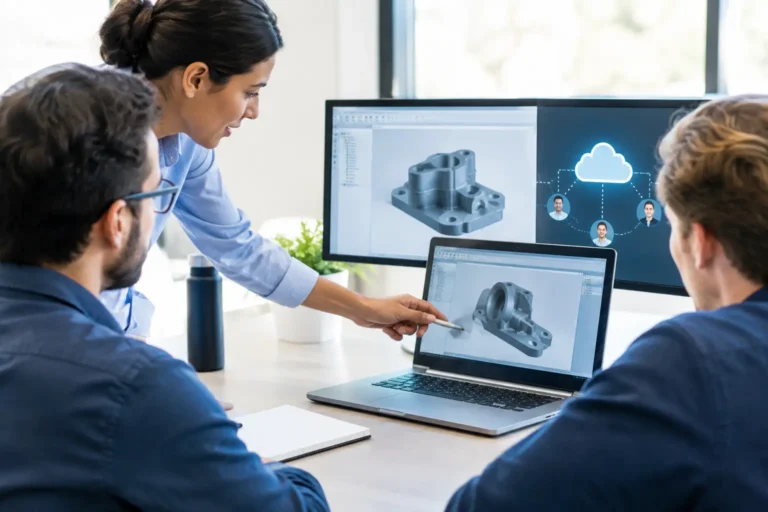
A CAD collaboration migration is not simply a file move. It changes how engineers find models, how production receives approved drawings, and who can access valuable design information. Get it wrong and a missing revision, locked assembly or expired licence can hold up purchasing, machining or a customer delivery. Get it right and teams spend less time chasing files and more time making parts.
The practical answer is to treat the change as an operational project, not an IT tidy-up. Map the dependencies around your CAD data, decide how approval and access will work, test the new arrangement with real jobs, then move in controlled stages. A weekend switchover may look efficient on a project plan. It is less attractive when Monday’s production order needs a drawing that nobody can open.
Why CAD collaboration migration affects more than engineering
CAD files rarely live in isolation. A design may feed a CAM program, a bill of materials in ERP or MRP, a quotation, a quality record and a supplier pack. Engineers may use a product data management system, while production relies on PDFs or printed drawings. External designers, subcontractors and customers may need controlled access too.
This is why moving from a local file server to a cloud collaboration platform, replacing a PDM system, or consolidating several design stores needs careful planning. The question is not just, “Have the files copied?” It is, “Can the right person use the right approved information at the point it is needed?”
For a manufacturer with 10 to 100 staff, the hidden risk is often informal process. One engineer knows that the released drawings are in one folder, while working versions sit elsewhere. A production supervisor may keep a trusted copy on a shared workstation. That arrangement can function for years, until a migration exposes how much depends on local knowledge.
Define what your CAD collaboration migration must improve
Start with the business outcome. You may need engineers in different locations to work on the same assemblies, stronger version control, better supplier access, a replacement for an ageing server or clearer protection for intellectual property. Those needs lead to different technical choices.
For example, a cloud-hosted platform can help a dispersed design team, but it depends on reliable connectivity and sensible handling of large assemblies. A PDM system may provide formal revision, approval and check-in controls, but only if staff use it consistently. Simply putting CAD folders into a general document-sharing service may suit released PDFs, but it does not automatically support CAD references, file locking or assembly relationships.
Before selecting or configuring anything, agree what will be the source of truth for each type of information. This normally includes live CAD models, drawings, released production documents, CAM files, legacy projects and customer-supplied data. Also define which records must be retained and which old material can be archived. Carrying every duplicate, temporary export and obsolete revision into the new platform makes it harder to use from day one.
Map the dependencies before moving data
Create a short dependency map for representative products and current jobs. Follow a design from first model through approval, purchasing, production and quality. Record the applications, locations, people and devices involved at each point.
Pay particular attention to machinery-connected PCs and older CAM workstations. They may need a particular CAD version, local file path or network share. If an old computer cannot be upgraded because it supports a critical machine, it should not be treated as an afterthought. Network segregation, tightly controlled access and a tested method of transferring approved files may be safer than forcing a change that stops production.
Also check integrations. ERP, MRP, estimating and nesting software may read drawing numbers, properties or files from a specific location. A migration can break these links without generating a useful error message. The system may simply use an old drawing, which is worse than an obvious failure.
Set ownership, permissions and revision rules first
Collaboration improves when responsibility is clear. Decide who can create projects, change permissions, approve drawings, release documents to production and restore a previous revision. These are operational controls, not paperwork for its own sake.
Use role-based access rather than broad shared accounts. An engineer, production planner, subcontractor and external design consultant do not need the same permissions. Shared logins make it difficult to prove who changed a file and create a particular problem when someone leaves or a supplier relationship ends.
A sensible access model should cover employees, shared workshop devices, remote workers and third parties. Require multi-factor authentication where the platform supports it, especially for remote access. Review supplier access regularly and set expiry dates where practical. A supplier should be able to obtain the information required for a job, not browse a decade of customer designs.
Revision status needs equally clear language. Staff should be able to see the difference between work in progress, submitted for review, approved and superseded without guessing from a filename. Avoid relying on names such as `final`, `final2` or `final_really_final`. They are funny only until the wrong part is made.
Protect design data during the move
Engineering data is valuable intellectual property, and migrations create additional exposure because information is copied, exported and shared more widely than usual. Use encrypted transfer methods, restrict migration access to named people and retain an audit trail of what has been moved.
Backups are essential, but a backup is not proof that recovery will work. Test whether you can restore a representative assembly with its linked parts, drawings and metadata. Check that the restored files open in the required CAD version and that permissions remain appropriate. If the data supports a live production order, test the process before the old system is retired.
Cybersecurity also needs to account for ransomware. Keep protected backup copies separate from normal user access, patch supported systems and restrict administrative rights. Where legacy production equipment cannot be patched, document the limitation and apply compensating controls such as network segregation. Good security practice reduces risk; it does not automatically meet every customer or certification requirement.
Pilot the new process with a real, low-risk job
A pilot should reflect normal work, not a carefully chosen simple drawing. Select a completed or low-risk project with assemblies, external references, revisions and a production document pack. Ask an engineer to work with it, an approver to release it, and a production user to retrieve the approved output.
Test from the locations and devices people actually use. An office workstation on fast wired networking is not the same as a laptop in a workshop with variable Wi-Fi. If the platform relies on cloud access, assess whether your factory internet connection has enough capacity and resilience for expected usage. It may be appropriate to keep a controlled local copy of released documents for production continuity, provided the update process is clear.
Run the old and new arrangements in parallel only for as long as necessary. Parallel working reduces immediate disruption but creates a serious version-control risk. Set a firm cutover point for each team or project, communicate it clearly and remove write access to the previous location when the new process is proven.
A practical migration checklist
Before the final cutover, confirm that you have:
- identified the authoritative source for CAD, drawings, CAM and released production information;
- tested linked assemblies, metadata, integrations and permissions using real files;
- agreed revision, approval and supplier-access rules with engineering and production;
- confirmed recovery from backup, including representative design data;
- planned a rollback route and named the people authorised to make decisions during the change.
The rollback route matters. It does not always mean reversing every copied file. It means knowing how production will obtain approved information if the new platform has an unexpected issue, and who decides whether to pause, proceed or revert.
Measure whether the change is working
A successful migration should reduce time spent looking for files, prevent conflicting edits and make released information easier for production to access. It should also give managers clearer answers to basic questions: which revision is live, who approved it, who has access and whether the data can be recovered.
Monitor the first few weeks closely. Record access failures, slow performance, duplicate data and workarounds. A workaround is useful evidence, not bad behaviour. It may show that a permission model is too restrictive, a workstation needs updating or a production process was missed during planning.
For manufacturers across Hampshire, Surrey and West Sussex, the right approach depends on the CAD package, the age of production equipment, the role of suppliers and the tolerance for downtime. Syn-Star can review your current CAD data, infrastructure and security controls before a migration, helping you build a practical plan that protects both production and design ownership.
