
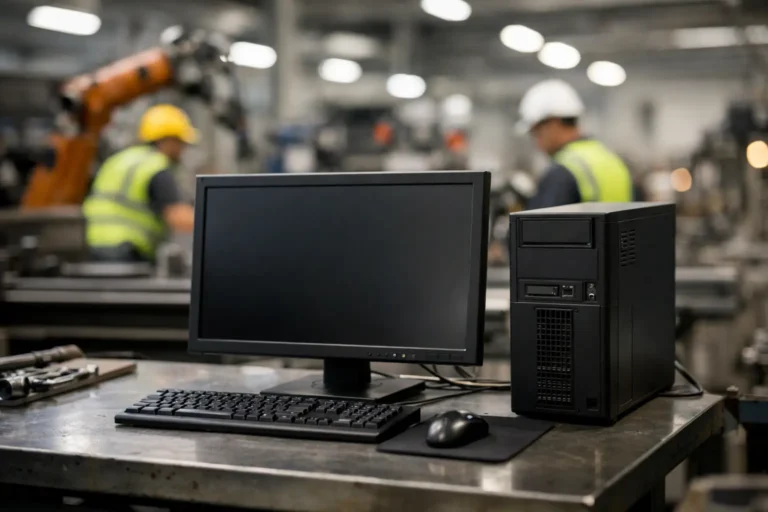
A CNC machine controlled by a Windows 7 workstation cannot simply be replaced because a support date has passed. The software may be tied to a specific controller, the supplier may no longer exist, and a failed change could stop a production line. So, can unsupported Windows run safely? In a manufacturing environment, the honest answer is: sometimes, but only when the system is deliberately contained, monitored and supported as a known operational risk.
Leaving an unsupported PC connected to the same network as office users, email and internet services is not safe. Keeping a legacy machine running behind carefully designed technical and operational controls can be a sensible short-to-medium-term decision while you plan a replacement. The distinction matters because production continuity should not be traded for false reassurance.
Why unsupported Windows creates a production risk
Once Microsoft ends support for a Windows version, newly discovered security weaknesses are no longer routinely fixed. Attackers do not need to target a machine tool specifically. They may gain entry through a phishing email, a weak password, a remote access service or another unpatched device, then move across the network until they find systems that are easier to compromise.
For manufacturers, the effect is rarely limited to one desktop. A compromised engineering workstation may hold machine programmes, drawings, supplier data or credentials for shared systems. Ransomware can also spread into file servers, ERP or MRP platforms, warehouse terminals and backup repositories. The cost is measured in missed dispatches, idle operators, delayed materials and difficult customer conversations, not simply an IT repair bill.
There is also a compliance consideration. Cyber Essentials, customer security questionnaires and ISO-aligned management systems all expect organisations to understand and control known weaknesses. An unsupported operating system is not automatically unacceptable in every environment, but it must be documented, justified and protected by appropriate compensating controls.
Can unsupported Windows run safely with the right controls?
It can be operated more safely than an unmanaged legacy PC, but no control makes unsupported Windows equivalent to a fully supported, patched device. The aim is to reduce its exposure, limit the damage if it is compromised and ensure the business can recover without prolonged disruption.
The first question is whether the machine genuinely needs to remain on its current operating system. Some equipment suppliers offer supported upgrades, replacement control PCs or a migration route that is less disruptive than expected. Others may require testing during planned downtime. Establish the facts before accepting a legacy risk indefinitely.
Where replacement is not currently viable, treat the device as industrial equipment rather than a general-purpose computer. Its role should be tightly defined: run the approved machinery application, communicate only with required services and have no unnecessary access to business systems or the public internet.
Segregate legacy devices from the main network
Network segregation is usually the most valuable protection for unsupported shop-floor Windows devices. Put legacy machinery, controllers and engineering workstations in a dedicated network segment or VLAN, separated from office PCs, guest Wi-Fi and core servers by properly configured firewall rules.
The rules should allow only the traffic the machine needs. For example, a production workstation might need to communicate with one authorised file location or a specific application server, but not browse websites, receive general email or access every shared drive. This reduces the opportunity for malware to reach the device and restricts lateral movement if another part of the business is compromised.
Segregation must be designed around the production process, not applied blindly. Some older controllers rely on unusual protocols or fixed IP addresses, and blocking them without testing can create the very outage you are trying to avoid. A proper review maps the machine, its dependencies and the communications it genuinely requires before rules are changed.
Remove the everyday routes to compromise
A legacy machine should not be used for web browsing, email, personal USB storage or routine office work. These common activities bring unnecessary risk to a device that cannot receive modern security updates.
Use a separate, supported workstation for sending job files, accessing documentation or dealing with supplier correspondence. If files must reach the legacy device, make that transfer controlled and repeatable. This could mean an approved network share with restricted access, or a managed removable-media process that includes malware scanning. The right approach depends on how the machinery and its software operate.
Also review local administrator rights. Operators should be able to do their job without changing system settings, installing unapproved software or disabling protections. Strong, unique credentials and a record of authorised users make an incident easier to contain and investigate.
Use a secure route for maintenance access
Remote support is often necessary for specialist machinery suppliers and internal technical teams. Direct remote access from the internet to an unsupported Windows device is a high-risk arrangement and should be avoided.
A jump machine provides a safer alternative. This is a supported, hardened workstation positioned between the support team and the isolated production environment. Technicians authenticate to the jump machine using multi-factor authentication, then connect onwards only where they have permission. Sessions can be logged, access can be time-limited and supplier accounts can be disabled when not required.
This arrangement gives the business control without making emergency support impractical. It also prevents a supplier connection from becoming a permanent, poorly understood route into the factory network.
Strengthen the layers around the device
Unsupported Windows should sit behind several protective layers, not depend on one security product. These layers may include a managed firewall, endpoint protection where the operating system supports it, DNS or web filtering for any essential outbound access, secure backups and central monitoring of suspicious activity.
Backups deserve particular attention. Backing up data to a drive permanently connected to the same network is not enough. Machine configurations, PLC programmes, engineering files and any software installation media should be identified and copied into protected, tested backup storage. Recovery testing matters as much as the backup itself. A backup that cannot be restored during a breakdown does not protect production.
Maintain an accurate asset register too. Record the Windows version, machine purpose, location, business owner, supplier contact, network connections, backup status and the reason replacement has been deferred. This turns an unknown vulnerability into a managed exception with clear accountability.
Decide whether the risk is acceptable
Not every unsupported device carries the same level of risk. A standalone machine with no internet access and no connection to the wider network is very different from an ageing PC used for email, shared files and machine control.
When assessing a legacy Windows system, consider four practical factors:
- How critical is the machine or application to daily output?
- What systems, networks and data can it reach?
- Is there a proven backup and recovery procedure if it fails or is encrypted?
- Is there a realistic replacement route, including supplier support and planned downtime?
A high-risk device is usually one that is both exposed and essential. It may control a bottleneck process, have broad network access, lack recoverable backups and rely on a supplier with limited availability. That combination deserves urgent action, even if the final solution has to be phased.
Build a replacement plan that does not disrupt production
“Replace it” is not a strategy if no one has identified the application dependencies, budgeted for the work or agreed a maintenance window. The most effective legacy Windows plans are staged around operational priorities.
Start by ranking systems according to production impact and exposure. Address devices that connect to office networks or hold sensitive information first. Then investigate vendor-supported upgrade paths, virtualisation options where the machinery software permits them, replacement industrial PCs and application migration. Keep a tested rollback route for every significant change.
In some cases, retaining the older operating system temporarily within a segregated environment is the least disruptive option. In others, the apparent saving disappears when you account for downtime risk, limited supplier support and the growing effort needed to protect it. The decision should be commercial as well as technical.
A manufacturing-focused IT partner can help coordinate this work across machine suppliers, software vendors and internal teams, so responsibility does not fall between organisations. Syn-Star’s approach is to protect what must keep running now while creating a practical lifecycle plan for what needs to change next.
Do not wait for a failure to reveal the dependency
The safest time to deal with unsupported Windows is while the machine is still producing, the right people are available and changes can be tested under controlled conditions. Begin by identifying every legacy device and its connections. From there, you can contain immediate risk, prove recovery arrangements and make replacement decisions on your terms rather than during an unplanned outage.
