
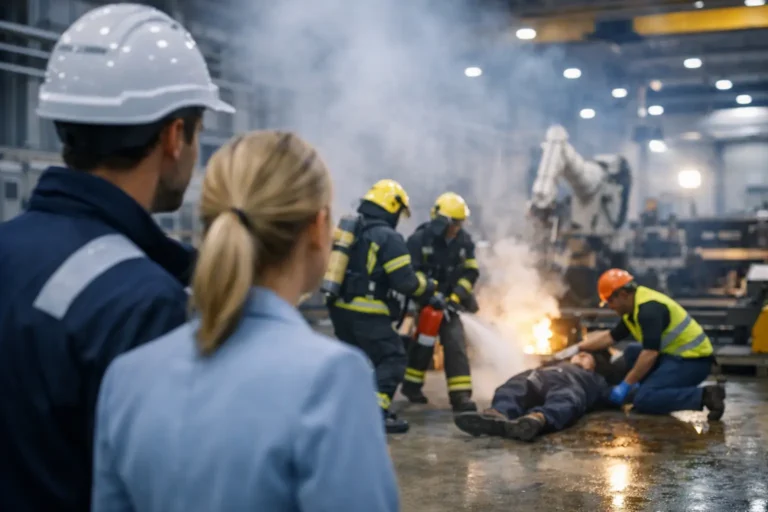
A stopped production line is rarely just an IT problem. It can mean missed dispatch dates, wasted materials, idle teams and difficult conversations with customers. Effective factory incident response gives your business a controlled way to contain the issue, protect people and data, and bring systems back without creating a second, more costly failure.
For manufacturers, an incident may begin with a ransomware alert, an unavailable ERP system, a failed Wi-Fi access point in the warehouse or a legacy machine that suddenly cannot communicate with its controller. The technical cause matters, but the immediate business question is simpler: what is affected, what must remain running, and who has authority to make decisions?
Why factory incidents require a different response
A standard office IT recovery process is not enough for a manufacturing environment. Shutting down a server may be sensible in an office network, but the same action could interrupt machine data collection, prevent labels being printed or leave a production order inaccessible halfway through a run.
Factory technology also has dependencies that are easy to underestimate. An MRP or ERP platform may connect purchasing, stock, scheduling, quality records and dispatch. Shop-floor terminals may rely on older operating systems that cannot be patched in the usual way. A wireless network can support barcode scanners, tablets, handheld terminals and engineering devices across a large site.
This is why incident response must be built around production priorities, not only around the affected device. The right plan identifies critical services in advance and defines the safe order for isolating, restoring and validating them.
The first hour: contain the problem without stopping everything
The first hour of an incident sets the direction for the rest of the recovery. Acting too slowly can allow a cyber attack to spread. Acting too broadly can halt systems that were not affected. A measured response needs accurate information and clear roles.
Start by confirming the symptoms. Is the issue limited to one workstation, one network segment, a specific application or the wider site? Record when it started, who reported it, what changed recently and which production activities are currently affected. This gives technical teams a reliable starting point and prevents assumptions becoming accepted fact.
Next, contain the risk. If ransomware or unauthorised access is suspected, affected devices may need to be disconnected from the network immediately. That does not automatically mean switching off every system. Preserving evidence can help determine how the incident started and whether other machines have been exposed. It also supports a safer recovery, particularly where backups, credentials or shared drives could be at risk.
At the same time, operations leadership should decide which processes can continue manually and which must pause. A printed fallback schedule, manual goods-in process or controlled paper-based quality record may keep a short disruption from becoming a full-day outage. These workarounds need to be agreed beforehand, not improvised while pressure is mounting.
Set responsibilities before an incident occurs
The strongest response plans remove uncertainty. Every person involved should know who leads the technical investigation, who decides whether production pauses, who speaks to software and machinery vendors, and who keeps staff informed.
For many small and medium-sized manufacturers, this is where gaps appear. Internal IT may manage everyday support, while a separate provider looks after the ERP system, another supplier maintains a machine, and a telecoms provider owns the connectivity. During an incident, each party may focus on its own service boundary while production waits.
A practical factory incident response plan names an incident lead with authority to coordinate those suppliers. It also includes current contact details, support contracts, escalation routes and access arrangements. If an engineer needs a remote connection to a controller or an ERP specialist needs privileged access, the process should be documented and approved in advance.
Communication should be brief, factual and regular. Production managers need to know the operational impact and expected next update, not a stream of unexplained technical detail. Directors need a clear view of risk, cost exposure and decision points. Staff need instructions that prevent the problem worsening, such as avoiding USB devices, not restarting affected terminals and reporting unusual activity promptly.
Protect legacy equipment through segregation
Older machinery is often commercially viable and operationally essential, even when its operating system no longer receives security updates. Replacing it simply because it is old may be unrealistic, especially where validation, integration and production interruption are involved.
The safer approach is to reduce its exposure. Network segregation places legacy machines and high-risk industrial equipment in separate, controlled network zones. Access can then be limited to the systems and people that genuinely need it. A jump machine can provide a monitored route for authorised maintenance, rather than allowing direct access from everyday office devices.
Segregation does not make unsupported equipment risk-free. It does, however, limit the path an attacker or malware infection can take through the business. It also makes incident containment more precise. Rather than taking down the entire network, your team can isolate a specific segment while protecting essential systems elsewhere.
This design must reflect how the factory actually works. Engineers may need rapid access during a breakdown, and third-party machine suppliers may require remote support. Controls that make legitimate work impossible will eventually be bypassed. The aim is practical security: controlled access, clear approval and useful logging without introducing unnecessary delays.
Recovery is more than restoring a backup
Backups are central to incident recovery, but a backup is only useful if it can be restored within the time your operation can tolerate. A nightly backup may be appropriate for archived documents, yet inadequate for an ERP database that changes throughout the day. Recovery objectives should be based on the cost of lost data and lost production, not on what happens to be convenient.
A sound recovery process follows an agreed order. First, confirm that the threat has been removed or contained. Restoring systems into an active compromise only repeats the incident. Then rebuild or restore core identity, network and server services before bringing back business applications, shop-floor connections and user devices.
Each restored system needs validation. Can users log in? Can orders be released? Can stock movements be recorded? Can barcode scanners connect? Can production data reach the correct application? A server showing as online is not proof that the process it supports is ready for production.
Keep protected, separate copies of critical backups and test restoration regularly. Tests should include the applications, configurations and data dependencies that matter on the factory floor. A successful file restore is helpful, but it is not the same as recovering an MRP system and proving that production can operate correctly.
Test the factory incident response plan under realistic conditions
Most plans look convincing until a real interruption exposes missing contacts, outdated passwords or undocumented dependencies. Testing is how you find these weaknesses while the business is still in control.
A tabletop exercise is a useful starting point. Bring together operations, IT, finance, production and relevant suppliers, then work through a realistic scenario such as ransomware affecting shared files and the ERP environment. Discuss who acts first, what gets isolated, how staff are informed and what production can continue.
Technical tests should follow. Restore a critical system into a safe test environment where possible. Confirm that backups are usable, recovery documentation is accurate and privileged accounts work as expected. Test failover connectivity if your site relies on cloud systems, hosted telephony or remote access.
The frequency depends on your risk profile. A business with highly connected production systems, strict customer requirements or limited tolerance for downtime will need more frequent exercises than one with simpler operations. Any major change – a new ERP module, machinery upgrade, network redesign or acquisition – should trigger a review of the plan.
Measure what matters after the incident
Once operations are stable, avoid treating the incident as closed simply because systems are back online. Review what happened while the details are fresh. Identify the root cause where possible, but also examine why the impact was as large as it was.
Perhaps an alert was missed, a network zone was too open, a vendor contact was unavailable, or a manual process had not been tested. These are improvement opportunities, not just technical findings. Turn them into owned actions with dates, whether that means tightening access controls, improving monitoring, refreshing an ageing switch or documenting a critical machine dependency.
For manufacturing businesses, useful measures include time to detect, time to contain, time to restore each critical service and the amount of production lost. These figures help directors make informed investment decisions and show whether resilience is genuinely improving.
A dependable response is built long before the next alert appears. When your technology, people and suppliers have rehearsed their roles, an incident becomes a controlled operational event rather than a scramble that puts production, customer commitments and confidence at risk.
