
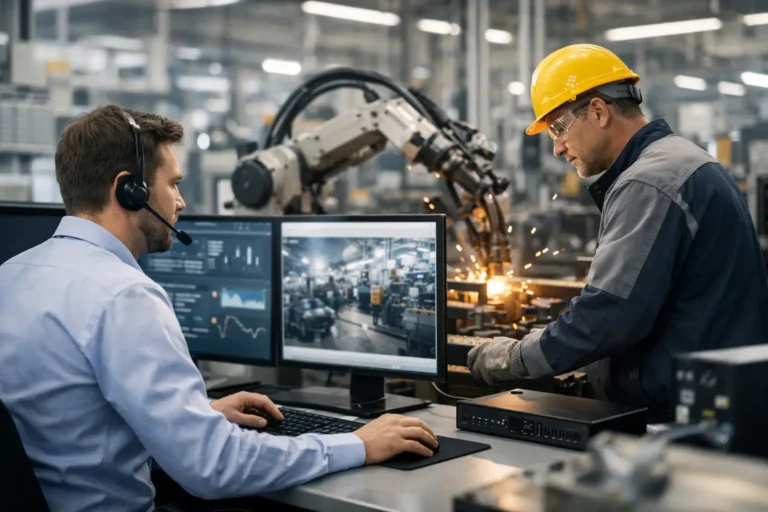
A production line stopped by a failed network switch does not look like an IT issue to the operations director. It looks like missed dispatches, idle staff, delayed customer orders and pressure on already tight margins. That is why IT support for manufacturers must be built around output, not simply ticket closure times.
Manufacturing technology has a wider footprint than the typical office environment. A single site may rely on ERP or MRP software, warehouse scanners, shared production terminals, CAD workstations, machine interfaces, industrial controllers, cloud applications and ageing devices that cannot be replaced without specialist engineering input. Each has different risks, owners and tolerances for change.
The right support partner understands that a patch, upgrade or security control cannot be treated as routine if it could interrupt a running process. At the same time, leaving systems untouched is rarely safe. Effective support finds a controlled route between those two risks.
Why manufacturing IT needs a different approach
Office IT is often designed around user productivity. Manufacturing IT has to protect productivity too, but the consequences of failure travel much further. When a finance user cannot access a file, there may be a delay. When a shop-floor terminal cannot send job data to the MRP system, production planning can quickly become unreliable.
This is especially relevant where operational technology and business IT meet. Machine data may feed into reporting platforms, production teams may depend on shared network drives, and stock movement may be recorded through wireless devices. A fault in one part of the environment can create a bottleneck elsewhere, even when the machinery itself is working perfectly.
A manufacturing-focused provider begins by identifying what is genuinely critical. That means understanding which systems affect production, dispatch, traceability, quality records, payroll and customer service, then setting priorities accordingly. Not every device requires the same level of monitoring or response, but the systems that control output should never be treated as an afterthought.
Legacy equipment is a risk to manage, not a reason to stand still
Many factories retain older PCs and operating systems because they run specialist machinery, testing equipment or vendor software that cannot be easily changed. Replacing them may require recertification, supplier involvement or costly downtime. In some cases, the original vendor is no longer available.
The answer is not to connect an unsupported device directly to the wider business network and hope for the best. Nor is it always realistic to demand an immediate replacement. A more practical approach may include network segregation, tightly controlled access, a dedicated jump machine for maintenance, restricted internet connectivity and verified backups of configurations and software.
This reduces exposure while allowing production equipment to remain in service. It also creates time for a planned lifecycle decision rather than forcing an expensive replacement after an incident. The trade-off is that these controls require careful design and regular review. A segregated network that is poorly documented or routinely bypassed offers far less protection than it appears to.
What good IT support for manufacturers should cover
The day-to-day service matters, but it should sit within a wider plan for resilience. Manufacturers need a provider that resolves problems quickly while reducing the number that reach the factory floor in the first place.
Monitoring, maintenance and responsive support
Proactive monitoring can identify failing storage, unusual login activity, low disk space, backup errors and network problems before they become a major outage. Regular patching is equally valuable, but it must be scheduled around production requirements and tested where systems are sensitive.
When an issue does occur, the provider should know which services matter most and who has authority to make decisions. A two-hour emergency response commitment is valuable when production is at risk, although response time is not the same as resolution time. The important question is whether the support team has the technical knowledge, documentation and access needed to diagnose the fault without losing hours to avoidable handovers.
For manufacturers with internal IT staff, external support should add capacity rather than create confusion. Clear responsibilities make a real difference: who owns users, servers, cyber security, network infrastructure, ERP supplier liaison and shop-floor devices? Without this, an urgent fault can become a round of vendors blaming one another.
Network and Wi-Fi designed around operations
A flat network gives an attacker, or a simple configuration error, too much room to spread. Separating office users, guest access, warehouse devices, production equipment, servers and backup infrastructure limits the impact of a problem. It also makes troubleshooting faster because the purpose of each network segment is clear.
Reliable Wi-Fi deserves particular attention in warehouses and production areas. Coverage is not just a convenience when scanners, tablets or mobile workstations depend on it. A survey should consider racking, machinery, building materials, interference and how staff actually move through the site. Adding access points without this assessment can leave persistent dead spots and unreliable roaming.
Network changes must be documented and controlled. Manufacturers often inherit switches, cabinets and wireless equipment installed over many years by different contractors. Bringing that estate into a clear support model improves resilience and makes future changes less disruptive.
ERP, MRP and critical application support
ERP and MRP platforms are often the operational core of a manufacturing business. They hold job data, materials information, purchasing records, stock movements and planning data. If performance deteriorates or integrations fail, production teams may resort to spreadsheets and paper records, creating delays and traceability risks.
IT support does not replace the specialist knowledge of an ERP vendor, but it should provide the stable infrastructure that the application needs. That includes server performance, user access, database backup coordination, network reliability and managed relationships with software suppliers. It should also establish where responsibility begins and ends before there is a serious incident.
Integration work needs the same care. Connecting machines, barcode systems or third-party platforms can improve visibility, but each connection creates another dependency. The benefit needs to justify the operational and security impact, particularly where data is exchanged with older equipment.
Cyber security that respects the factory floor
Ransomware can stop a manufacturer long before it encrypts every server. Attackers may target email accounts, shared files, remote access tools or administrator credentials, then use those footholds to disrupt planning and operations. A cyber security programme should therefore combine technology, process and people.
Essential measures include multi-factor authentication, managed endpoint protection, secure email controls, least-privilege access, monitored backups and regular testing of recovery procedures. Staff awareness matters too, especially for teams handling supplier invoices, purchase orders and unexpected requests for bank-detail changes.
However, security controls must be introduced with operational reality in mind. Shared shop-floor terminals may make individual sign-in difficult. Engineers may need controlled remote access to support equipment. The goal is not to impose office rules blindly, but to design controls that reduce risk without making safe working impractical.
Recovery planning is where promises are tested
A backup is only useful if it can be restored within the time the business can tolerate. Manufacturers should define recovery priorities based on operational impact, not just the size of the data set. The MRP database, file shares holding drawings, virtual servers and machine configurations may all need different recovery targets.
Good backup planning usually follows the principle of keeping separate copies, including one that cannot be altered by an attacker. Yet storage alone is not enough. Restores should be tested, documented and reviewed after material system changes. A business that has never tested its recovery process does not know how long an outage will actually last.
A practical disaster recovery plan should also cover the non-technical decisions. Who declares an incident? Who contacts customers and suppliers? How will production continue if systems are unavailable? Which work can be recorded manually, and how will that information be reconciled later? These questions are uncomfortable, but answering them in advance protects continuity.
Compliance should support better operations
Cyber Essentials, ISO requirements, customer audits and CE-compliant environments can create a significant administrative burden. Treated purely as a paperwork exercise, compliance becomes an annual scramble. Treated as a way to maintain asset records, control access, manage change and evidence good practice, it can strengthen the business day to day.
The level of support required depends on the organisation. A growing engineering firm may need help building the policies and technical controls needed for Cyber Essentials. A larger manufacturer may need ongoing evidence, risk reviews and support aligning IT controls with an existing quality or information security framework.
What matters is honesty about gaps. Unsupported systems, shared accounts and undocumented network connections cannot be wished away for an audit. They need a recorded risk decision, suitable compensating controls and a realistic improvement plan.
Choosing a provider that can protect production
Before selecting a managed IT partner, ask how they will learn your production dependencies, support legacy machinery and handle an incident that involves multiple suppliers. Ask whether maintenance is planned around your operating hours, how backups are tested, and how network segregation will be maintained over time.
Predictable per-device pricing can make budgeting easier, but it is worth confirming exactly what is included. A low monthly figure can become costly if site visits, project work, cyber security tools or emergency support sit outside the agreement. The strongest relationship is one where scope, responsibilities and improvement priorities are clear from the start.
For businesses changing providers, a simple transition plan and a meaningful satisfaction guarantee reduce the risk of moving. Syn-Star approaches support as an ongoing responsibility: understanding the environment, stabilising immediate risks and helping manufacturers make sensible technology decisions without disrupting operations.
Your factory does not need more technology for its own sake. It needs technology that remains available, recoverable and secure when the pressure is on. Start with the systems that keep work moving, give them the protection they deserve, and make every future IT decision answer one practical question: will this help us keep producing?
