
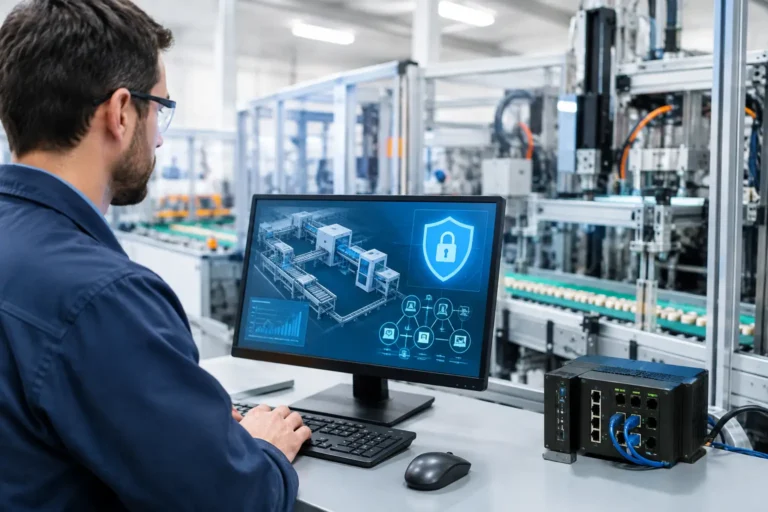
A production line can stop because of a failed drive, a damaged cable or a problem in the control system. It can also stop because a ransomware incident reaches a PLC network through an office computer, poorly controlled supplier connection or shared engineering laptop. Secure PLC networks are therefore not simply an IT concern. They protect output, delivery performance, sensitive designs and the confidence that the factory will start again on Monday morning.
The practical answer is to separate industrial control systems from everyday business IT, control who can reach them, and prepare for faults that cannot be avoided. This must be done with care. A well-meaning security change that prevents an engineer from connecting to a machine at the right moment is not a success.
What makes a PLC network different?
A programmable logic controller, or PLC, is the small industrial computer that monitors inputs and controls machinery. It may run a packaging line, a CNC machine, pumps, conveyors, extraction equipment or a complete process cell. PLCs commonly communicate with human-machine interfaces (HMIs), industrial PCs, sensors, drives and supervisory software.
Unlike a typical office laptop, a PLC may remain in service for 15 or 20 years. Its software may only run on an old Windows version. The machine manufacturer may restrict changes, or no longer trade. Restarting a system may require a planned shutdown, specialist knowledge and several hours of production time.
That does not mean the equipment has to be left exposed. It means security needs to work around operational reality. Replacing every legacy device is sometimes the right long-term decision, but it is rarely the only sensible first step.
Secure PLC networks start with separation
The most valuable control is network segmentation. Put simply, this creates controlled boundaries between the office network and the operational technology, often called OT, environment. An accounts computer should not be able to communicate directly with a PLC just because both are connected to the same switch.
A sensible design normally separates office IT, servers, guest Wi-Fi, warehouse handheld devices and production equipment. A firewall then permits only the specific communications needed between these areas. For example, an ERP or MRP system may need to exchange production data with a manufacturing application, while ordinary office devices do not need any route to the PLCs.
This limits the spread of a cyber incident. If a phishing email leads to an infected office device, segmentation can stop the problem becoming a factory-floor outage. It also makes troubleshooting easier. When every device can talk to every other device, finding the source of a fault becomes rather like tracing a leak in a pipework system with all the valves removed.
Segmentation is not just about adding a separate Wi-Fi name or placing machines on a different IP address range. The boundary must be enforced by properly configured network equipment and rules that are tested. Otherwise, the separation may exist on a diagram but not where it matters.
Allow only necessary traffic
Firewalls should be configured to allow the required systems, protocols and ports, rather than allowing unrestricted communication by default. This needs input from the machine supplier, controls engineer and people who understand the production process.
There is a trade-off. Rules that are too broad provide little protection, while rules that are too restrictive can interrupt data collection, remote diagnostics or production reporting. Start by documenting the required connections, then test changes during an agreed maintenance period. Keep a record of what was changed and why.
Control remote access before a supplier needs it
Remote supplier access is often necessary. A controls specialist may need to diagnose a fault quickly, particularly when a machine is down and an order is waiting. But permanently connected remote-access tools and shared passwords create a clear route into the production environment.
A safer approach gives suppliers time-limited, approved access through a managed remote-access service or jump server. Access should require multi-factor authentication, be assigned to an identifiable individual and be switched off when not needed. Where practical, record sessions and retain an audit trail showing who connected, when and what system they reached.
Avoid shared accounts such as “Engineer” or “Machine Support”. They make it impossible to establish responsibility after an incident. The same applies to a password written inside an electrical cabinet. It may feel convenient until staff change, a contractor leaves or a device is misplaced.
Remote access should also be separated from routine office access. A supplier connecting to a PLC should not gain visibility of finance files, CAD drawings or Microsoft 365 data. Equally, a user with normal office credentials should not automatically gain access to a machine network.
Deal realistically with legacy production equipment
Unsupported Windows systems and ageing industrial PCs are common in manufacturing. They increase risk, but an unsupported device is not automatically a reason to stop a machine or make an expensive replacement decision overnight.
First, identify exactly what the device does. Record the machine it supports, the operating system, installed application, connected PLCs, licence details, backups and the supplier responsible for support. Many businesses discover during an outage that nobody knows where the original installer, passwords or configuration files are held.
Where patching is possible and approved by the machine supplier, apply updates through a planned process. Test them first where feasible. If patching is not possible, compensate by reducing exposure: isolate the device in its own network zone, remove internet access, block unnecessary USB use, restrict local logins and tightly control remote connections.
Application allow-listing can also help on compatible systems. This permits only approved software to run, reducing the chance that a user or malicious file can launch an unknown program. It is useful, but it must be tested carefully with engineering software and machine updates.
In some cases, replacement is the better business choice. If an industrial PC regularly fails, has no recoverable backup, relies on obsolete hardware or prevents you meeting a customer security requirement, the cost of planned modernisation may be lower than the cost of an unplanned stoppage. The decision should be based on production dependency and recoverability, not simply the age of the device.
Back up the systems that bring machines back
A backup of office files will not necessarily restore production. To recover a PLC-controlled process, you may need PLC programs, HMI projects, industrial PC images, network switch configurations, drive parameters, software licences and documentation showing how the components connect.
These backups should be protected from alteration and ransomware. Keep at least one copy separate from the main network, control access to it and test restoration. A backup that has never been restored is an assumption, not a recovery plan.
Testing does not always mean stopping a production line. You may be able to validate that PLC project files open correctly, restore an industrial PC image to spare hardware or use a test environment. The right method depends on the equipment, available spares and the consequences of a mistake. What matters is proving that critical assets can be recovered within an acceptable timeframe.
Make ownership clear across IT and engineering
PLC security falls between IT, engineering, operations and external machine suppliers. That gap is where risks linger. IT may not know a contractor has installed remote access. Engineering may not know a network change has opened a route from a production cell to the office network.
A short, maintained asset register and clear responsibilities are more useful than a large policy nobody reads. Your records should identify critical machines, network connections, named owners, support contacts, approved remote-access methods and recovery priorities.
Use the following checks when reviewing the current arrangement:
- Are PLCs, HMIs and industrial PCs separated from office devices and guest Wi-Fi?
- Can you identify every route into the production network, including supplier access?
- Are individual accounts and multi-factor authentication used for remote connections?
- Do you have current, recoverable copies of PLC logic, HMI projects and machine configurations?
- Have network and backup changes been tested without putting production at unnecessary risk?
Cyber Essentials can help establish good controls around devices, accounts, firewalls, updates and malware protection. However, it does not by itself prove that a PLC environment is correctly designed or that a particular machine can be recovered. Manufacturing businesses often need both: a wider security baseline and a specific plan for the systems that keep production running.
Build the plan around production risk
The best first step is usually a focused review, not an immediate technology purchase. Map the machines and applications that would stop production, identify connections between OT and IT, review remote supplier access, and establish whether recovery materials actually exist.
Prioritise the highest-consequence weaknesses first. For one business, that may mean removing an unmanaged remote-access tool from a CNC controller. For another, it may mean replacing an unreliable switch that serves a complete production area, or securing the engineering laptop used to programme several machines.
If your business in Hampshire, Surrey or West Sussex is uncertain where office IT ends and production risk begins, Syn-Star can help review the arrangement with both teams in the room. The aim is not to turn the factory into an IT project. It is to make sensible changes that keep the next fault, supplier call or cyber incident from becoming a missed delivery.
